Shopify Short Links
Automatically create clean, branded short links for your affiliates using Shopify's built-in URL redirect system.
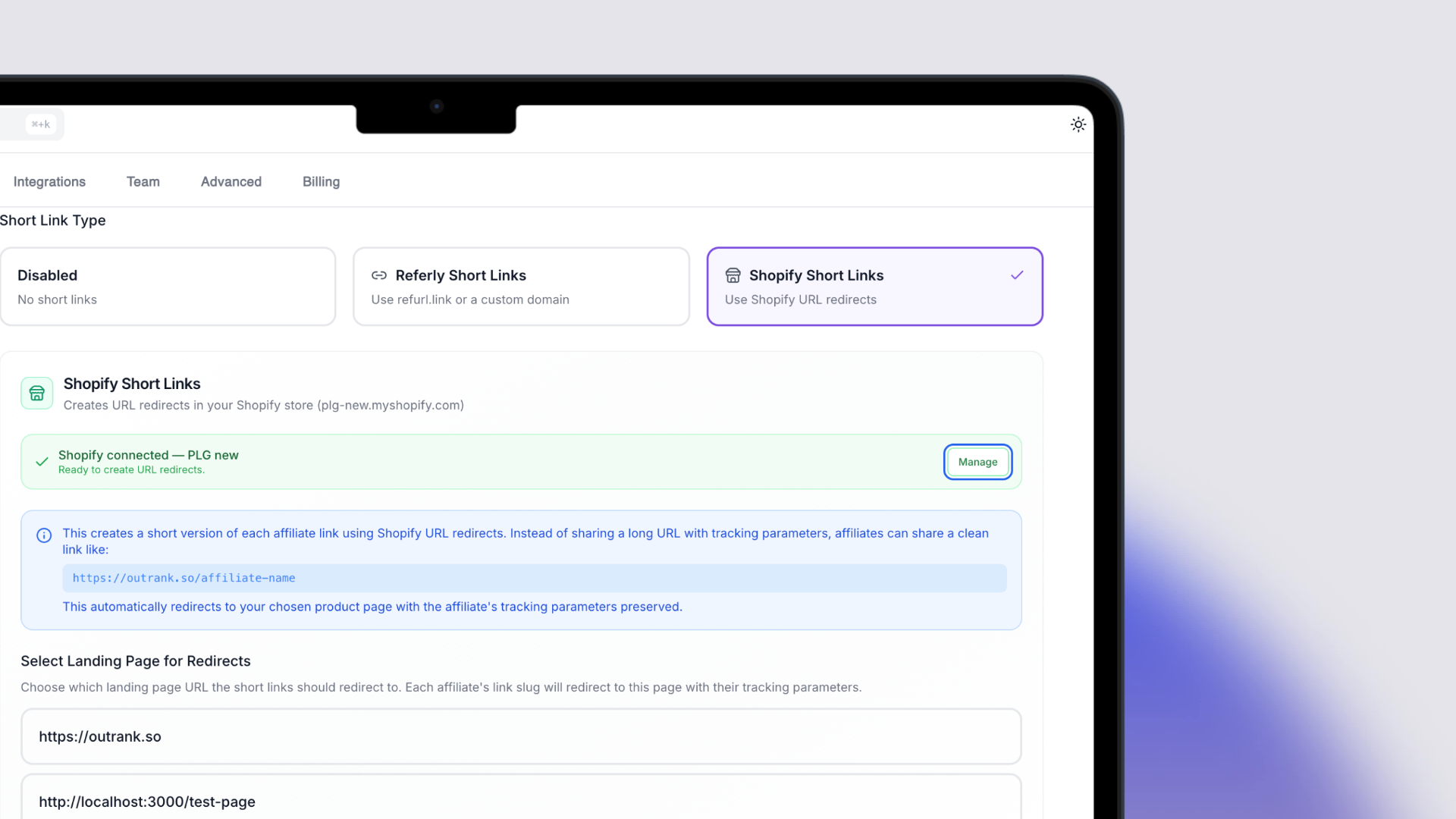
What's new
Affiliate links can be long and hard to share. With Shopify Short Links, every affiliate automatically gets a clean, memorable URL that lives on your own store domain.
Instead of a link like:
yourstore.com?utm_campaign=affiliates&ref=affiliate-a
Your affiliate gets:
yourstore.com/affiliate-a
When a customer visits the short link, they're seamlessly redirected to the full tracking URL using a Shopify URL redirect — the tracking parameters are preserved and the referral is attributed correctly.
How it works
Shopify Short Links uses Shopify's native URL redirect system (the same one you'd manage under Online Store > Navigation > URL Redirects in your Shopify admin). We create and manage these redirects automatically:
- When an affiliate joins your program, a redirect is created
- When an affiliate's link is updated, the redirect is updated
- When an affiliate is removed, the redirect is cleaned up
- You can re-sync all redirects at any time from settings
You choose which landing page the short links should redirect to, and we build the redirect target with the appropriate tracking parameters for each affiliate.
Setup
- Go to Settings > Automated Short Links
- Under Short Link Type, select Shopify Short Links
- Make sure your Shopify store is connected (you may need to reconnect if it was connected before this feature was available)
- Select the landing page URL that short links should redirect to
- Save — redirects will be created for all existing affiliates
You can hit Re-sync at any time to re-create or update all Shopify redirects for your program.
Requirements
- Shopify integration must be connected
- Available on Business plan and above
- If you were previously using Referly Short Links (refurl.link), enabling Shopify Short Links will replace them — the two systems cannot run simultaneously