Auto-Apply Promo Codes via Affiliate Links
Affiliate promo codes are now automatically applied to a customer's cart when they visit an affiliate's short link. No more asking customers to remember and manually enter a code at checkout.
What's new
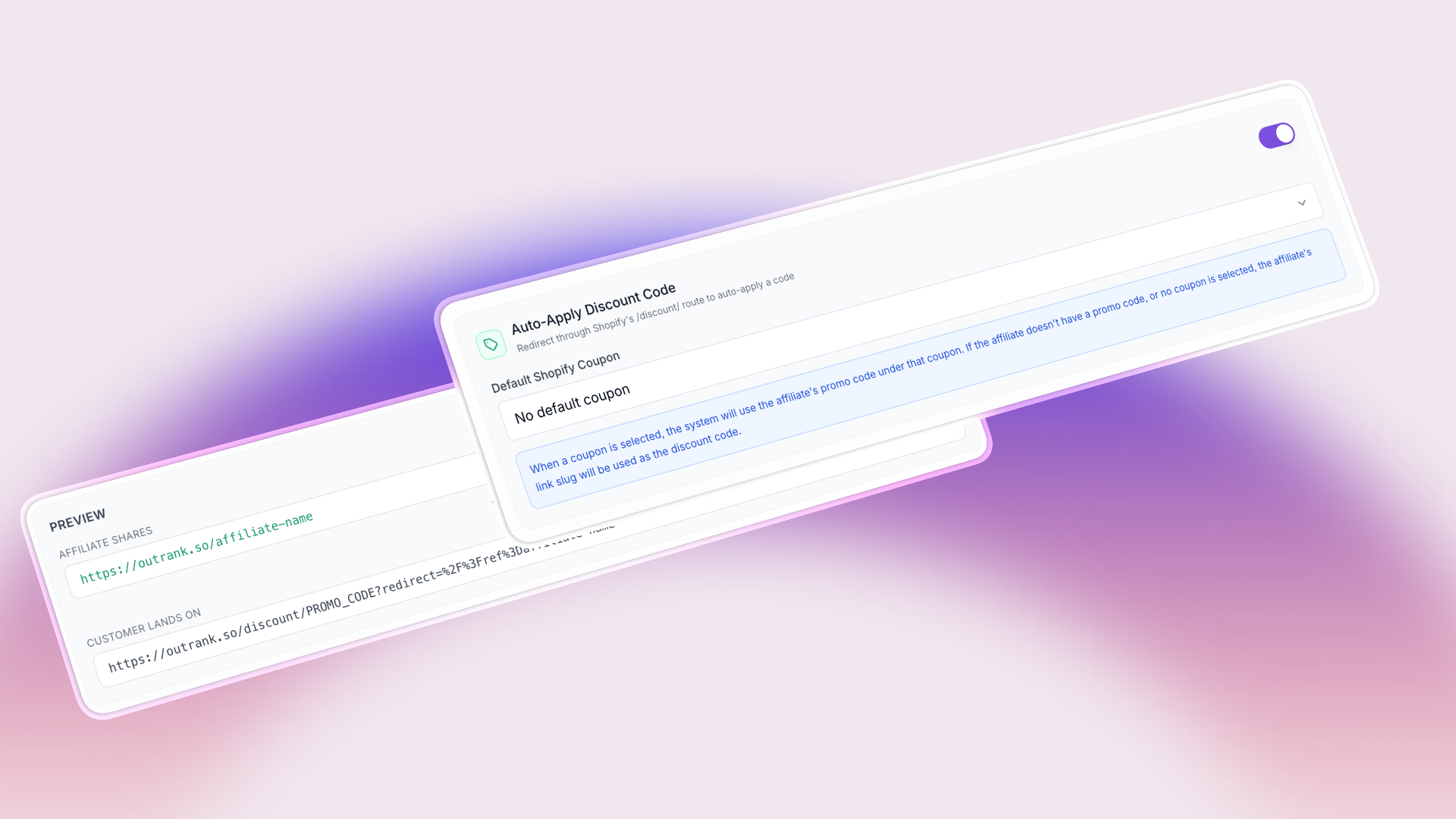
When you enable Auto-Apply Discount Code alongside Shopify Short Links, visiting an affiliate's short link will automatically apply their connected promo code to the customer's shopping cart.
For example, if affiliate "Sarah" has:
- A Shopify short link:
yourstore.com/sarah - A connected promo code:
FRIENDS20
When a customer visits yourstore.com/sarah, they're redirected through Shopify's /discount/FRIENDS20 route, which applies the FRIENDS20 coupon to their cart before landing on the store. The referral is tracked and the discount is applied — all in one click.
How it works
Under the hood, the Shopify redirect target is changed from a direct URL to Shopify's built-in discount URL format:
/discount/FRIENDS20?redirect=/your-landing-page?tracking-params
Shopify natively handles applying the discount code to the cart when a customer visits a /discount/ URL, so this works reliably without any custom scripts or theme modifications.
Connecting promo codes to short links
There are several ways promo codes get connected to affiliate short links:
- Automatically — When you enable auto-apply and select a default Shopify coupon, existing promo codes under that coupon are automatically connected to each affiliate's link
- During import — When importing affiliates with promo codes or auto-generating them, you can choose to connect the imported or auto-generated promo code to the affiliate's short link
- Manually — You can change or disconnect the promo code on any individual affiliate's link from the affiliate links dialog
If no promo code is connected, the affiliate's link slug is used as the discount code by default.
Setup
- First, enable Shopify Short Links (see the Shopify Short Links changelog)
- In the Shopify Short Links settings, toggle on Auto-Apply Discount Code
- Select the Default Shopify Coupon — this is the coupon whose promo codes will be connected to affiliate links
- Save — existing affiliates with promo codes under the selected coupon will be automatically connected
Requirements
- Shopify integration must be connected
- Shopify Short Links must be enabled
- Promo codes must exist on Shopify (under the selected coupon)