Send Payouts to Local Bank Accounts in 160+ Countries
Affiliates no longer need a Wise account to receive payouts. They can now enter their local bank account details and get paid directly — powered by Wise.
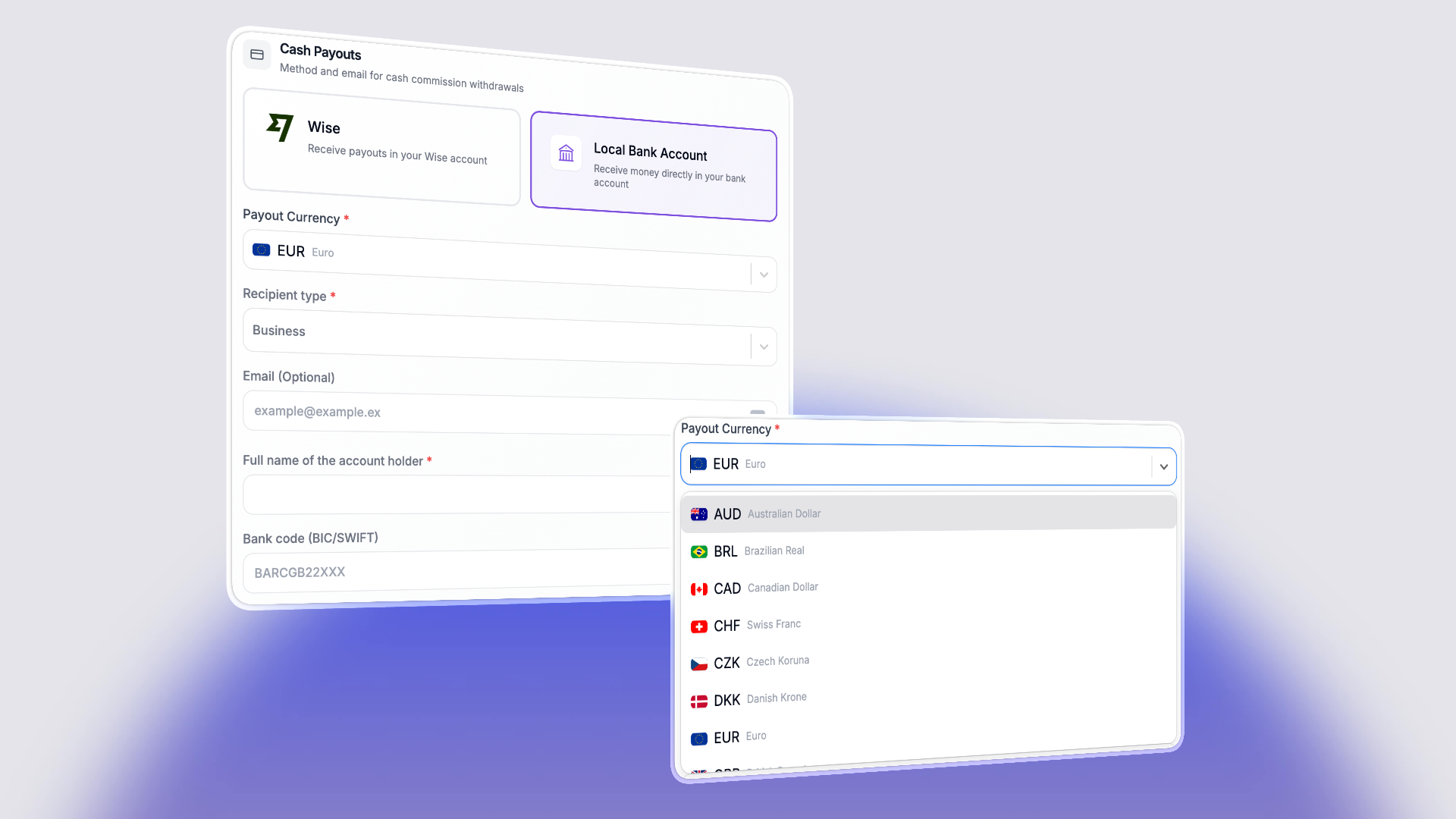
What's new
Previously, affiliates needed their own Wise account to receive Wise payouts. Now, only the business needs a Wise account. Affiliates simply choose Local Bank Account as their payout method, select their preferred currency, and enter their bank details. They get paid in their local currency, straight to their regular bank account.
This means your affiliates in over 160 countries can receive payouts without signing up for any additional services.
How it works for affiliates
- In the affiliate portal, go to Settings and find the payout method section
- Select Local Bank Account ("Receive money directly in your bank account via Wise")
- Choose a Payout Currency — this determines which bank detail fields are required
- Fill in the bank account details — the form dynamically adapts based on the selected currency (e.g. IBAN for European accounts, sort code for UK, routing number for US, etc.)
- Save — that's it
The bank detail fields are provided directly by Wise's account requirements API, so affiliates always see the exact fields needed for their country and currency. No guesswork.
How it works for businesses
- Go to Settings > Payout Settings
- Under Wise Payouts, click Connect account
- Enter your Wise API key (found under Your account > Integrations and tools > API keys in your Wise dashboard)
- Select your Wise profile (Business or Personal)
- You're connected — a webhook is automatically registered to track transfer statuses
When you process payouts, we handle everything: creating Wise recipients from the affiliate's saved bank details, generating quotes, and initiating transfers. You'll see the status in your Wise dashboard where you can approve payments.
Payout processing
When a payout batch runs:
- For affiliates using Local Bank Account: we normalize their saved bank details, create a Wise recipient (if one doesn't exist yet), generate a quote in the correct currency, and create the transfer
- Transfer status updates are received via webhook, so payout statuses stay in sync between your dashboard and Wise
- In the payout batch table, these show up as "Wise to local bank"
What this means
- For affiliates: No Wise account needed. No sign-ups. Just their regular bank account details.
- For businesses: One Wise account covers payouts to affiliates worldwide. Competitive exchange rates and transparent fees from Wise.