Shopify order tagging
You can now spot affiliate-driven Shopify orders without any manual work. When an affiliate refers a sale, Referly automatically tags the order with affiliate information right at checkout.
Attribution data that lives only in your affiliate dashboard is useful; attribution data that lives inside Shopify is operational. Your fulfillment, support, and reporting workflows all run in the Shopify admin — so that's where the affiliate context needs to be.
The tag lands directly on the order in your Shopify admin, so you can:
- Filter orders by affiliate to see who's driving sales, right in the order list.
- Identify referred orders at a glance while handling fulfillment or a support ticket.
- Build Shopify segments and reports around affiliate activity using tools that already read order tags.
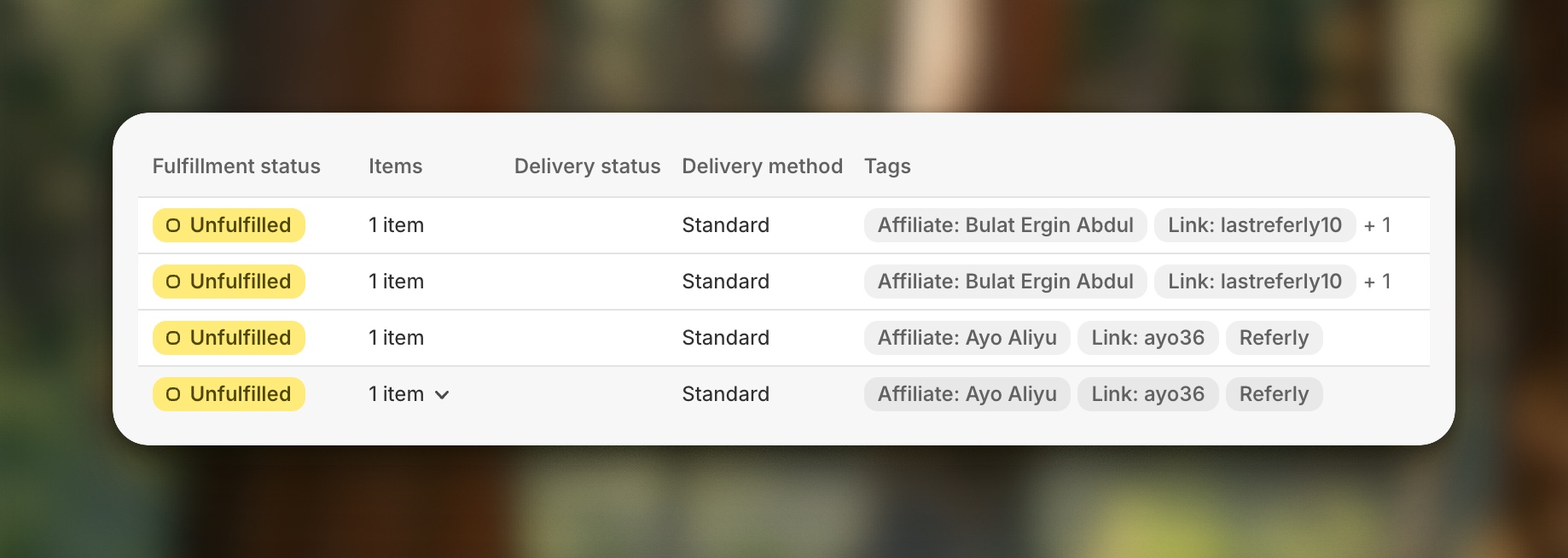
Turn it on from your Shopify integration settings, and every future referred order gets tagged automatically — nothing to install and no theme changes. Orders that came through unattributed traffic stay untouched, so the tags stay meaningful.