Non-Cash Rewards: Reward Affiliates With Coupons, Store credits or custom rewards
We're excited to announce a major expansion of how you can reward your affiliates. Your program is no longer limited to cash payouts. You can now reward affiliates with coupons, store credits, or custom rewards — and, for the first time, different affiliates in the same program can receive different types of rewards based on their commission plan.
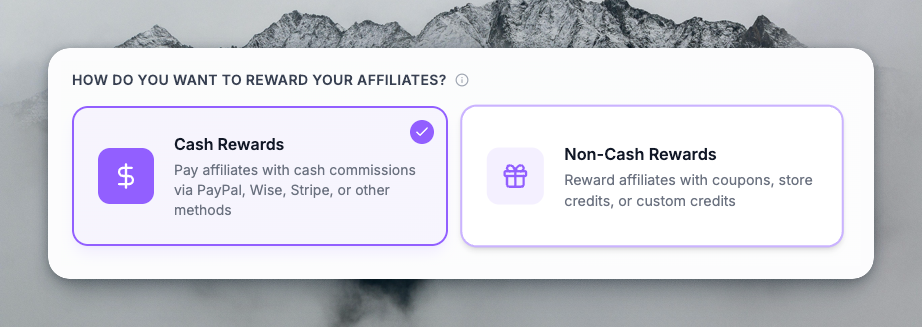
Non-Cash Reward Types
1. Coupons
Affiliates can earn discount coupons instead of cash. Coupons can be created and delivered through:
- Stripe — Stripe coupon codes, automatically generated and sent to affiliates
- Shopify — Shopify discount codes, synced with your store
- WooCommerce — WooCommerce coupons, integrated with your site
- API — Create and deliver coupons via your own server or custom integration
Configure the discount (percentage or flat amount), duration (one-time, repeating, or forever), and how many coupons an affiliate can earn (e.g., every sign-up, every 3 sign-ups, or on first purchase).
2. Store Credits
Affiliates can earn credits that live in your existing systems:
- Shopify Store Credits — Credits applied to the customer's Shopify balance
- Stripe Credits — Credits applied to the customer's Stripe balance
- Custom Credits — Use your own API to define and deliver credits (e.g., "AI credits", "loyalty points", "coins")
Credits can be earned per sign-up, per purchase (flat amount), or per currency unit spent (e.g., 1 credit per $1 spent). You can cap how many times credits are earned and set time windows (e.g., within 6 months of sign-up).
3. Custom Rewards
With the Custom credit type, you define the unit (e.g., "points", "tokens") and deliver rewards through your own API. This gives you full control over how affiliates are rewarded when your business logic doesn't fit standard coupons or store credits.
Payout Method Is Now Per Commission Plan
Previously, payout method was tied to the affiliate program. Now it's tied to the commission plan.
That means:
- Plan A can reward affiliates with cash (Wise, PayPal, bank)
- Plan B can reward affiliates with Shopify coupons
- Plan C can reward affiliates with Stripe credits
- Plan D can reward affiliates with custom credits via your API
All within the same affiliate program.
Assign different commission plans to different affiliates (e.g., by using the commission tier, performance, or manually), and each group gets the reward type that fits your strategy. High performers might get cash; new affiliates might get coupons to try your product; loyalty members might get store credits.
Why This Matters
- Reduce cash outflow — Use coupons and credits where cash isn't necessary
- Increase product adoption — Coupons encourage affiliates to experience your product
- Flexible segmentation — Reward different segments differently without separate programs
- Integrate with your stack — Use Stripe, Shopify, WooCommerce, or your own API
- Clear expectations — Affiliates see exactly what type of reward they'll receive in their plan preview
Getting Started
- Create or edit a commission plan
- Set Reward Type to Non-Cash
- Choose Coupon or Credits
- Connect the relevant integration (Stripe, Shopify, WooCommerce) or use the API
- Configure triggers (sign-up vs purchase), amounts, and limits
- Assign the plan to affiliates
Your affiliates will see their reward type and breakdown in the commission plan preview — no surprises, full transparency.