Import Affiliate Promo Codes
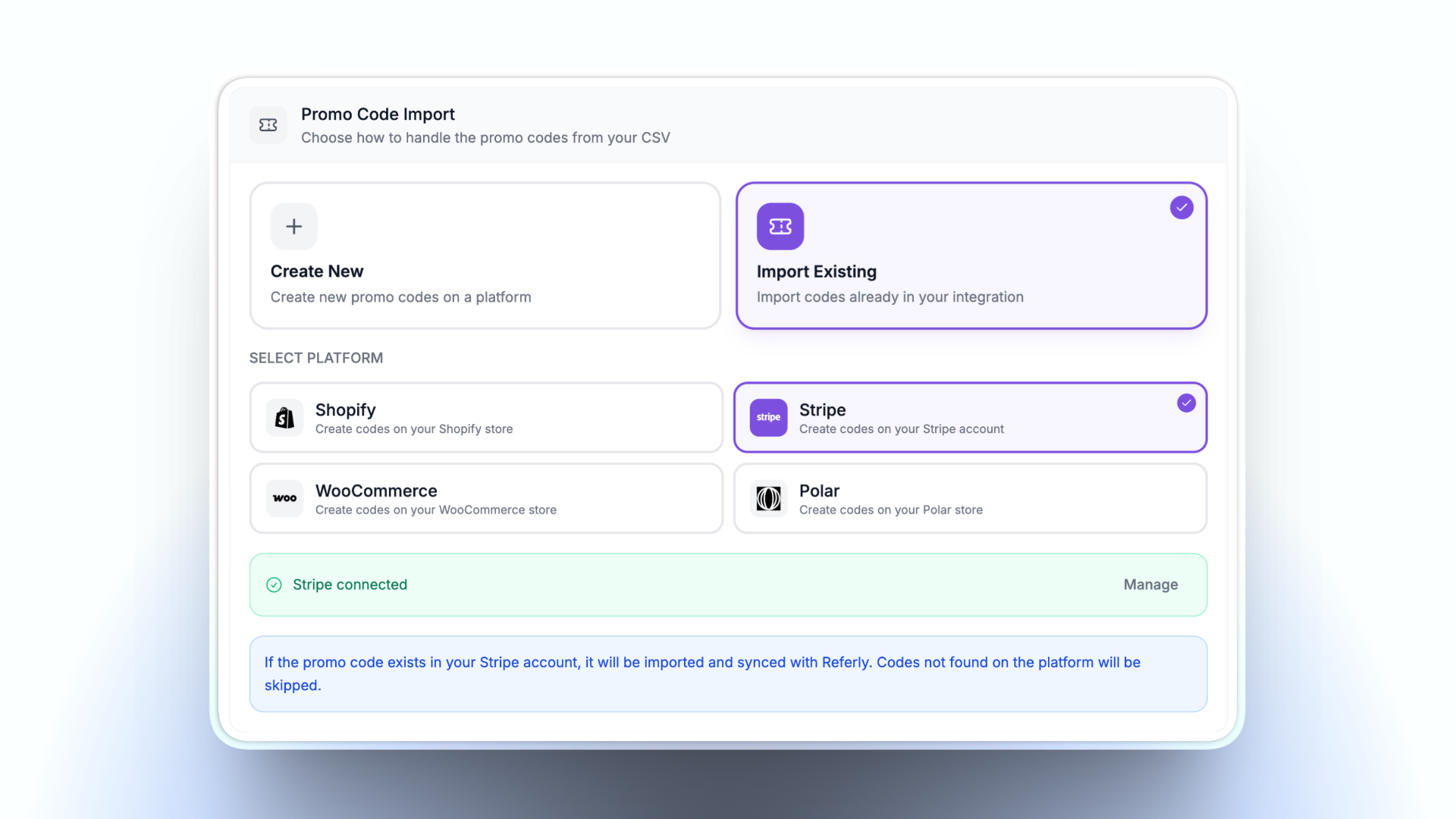
You can now import your affiliates' existing coupon codes directly through the CSV import wizard — no more manually assigning promo codes one by one after import.
What's new
When importing affiliates via CSV, you now have full control over how promo codes are handled. Map a column from your CSV (e.g. "Promo Code", "Coupon Code", or "Discount Code") to the Promo Code field, and a new Promo Code Import section appears with two options:
Import Existing
Already have promo codes set up on Shopify, Stripe, WooCommerce, or Polar? Choose Import Existing, select the platform, and we'll match and sync the codes from your CSV against the ones on your platform. Codes that aren't found on the platform will be skipped, so there's no risk of creating duplicates.
Create New
Want to create the promo codes on your platform as part of the import? Choose Create New, select the platform and the coupon they should be created under, and we'll handle the rest. If a promo code already exists in your system or affiliate program, it won't be created again.
You can also choose API as the platform to create local promo codes managed through the API without tying them to a specific integration.
Auto-Generate Promo Codes
Alternatively, if you have auto-coupon rules configured for your program, you can toggle on Auto-Generate Promo Codes during import. Promo codes will be automatically generated for each imported affiliate based on your existing auto-coupon rules — no CSV column needed.
How to use it
- Go to your dashboard and start a new affiliate import
- Upload your CSV file
- In the field mapping step, map your promo code column to the Promo Code field
- Choose between Import Existing or Create New
- Select the platform and (for Create New) the coupon to create codes under
- Complete the import
Supported platforms
- Shopify
- Stripe
- WooCommerce
- Polar
- API (local promo codes)