Affiliate-Specific Landing Pages
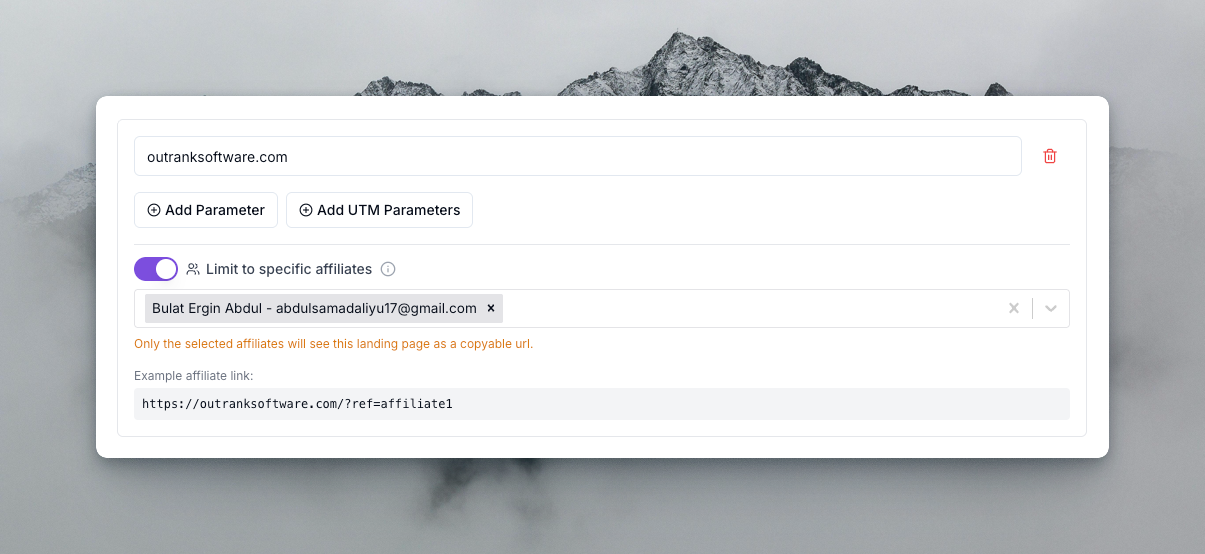
You can now restrict which affiliates see and use each landing page to generate their referral links.
Landing pages stop being one-size-fits-all the moment your program matures: you negotiate a dedicated page with a flagship partner, spin up a campaign page for one cohort, or build a regional page that only makes sense for some affiliates. Until now, every page was visible to everyone — which made exclusive placements impossible to manage cleanly.
By default, all landing pages remain available to every affiliate, so nothing changes unless you want it to. To restrict one, toggle "Limit to specific affiliates" in your program's general settings under Landing Page URLs, then search and select the affiliates you want to assign.
- Filtering applies across the affiliate portal, widget, and everywhere links get generated — a restricted page simply doesn't exist for unassigned affiliates.
- Assigned affiliates generate their referral links against the restricted page like any other.
- You can change assignments any time as deals and campaigns evolve.
Use it for exclusive partner deals, cohort-specific campaigns, or pages you're still testing with a trusted few before opening up.