

Store statuses
A store’s status shows on the All stores page, in the store picker at the top of every page, and on the store’s Overview as a banner. Atlas records and sends events only while a store is Running or Awaiting data.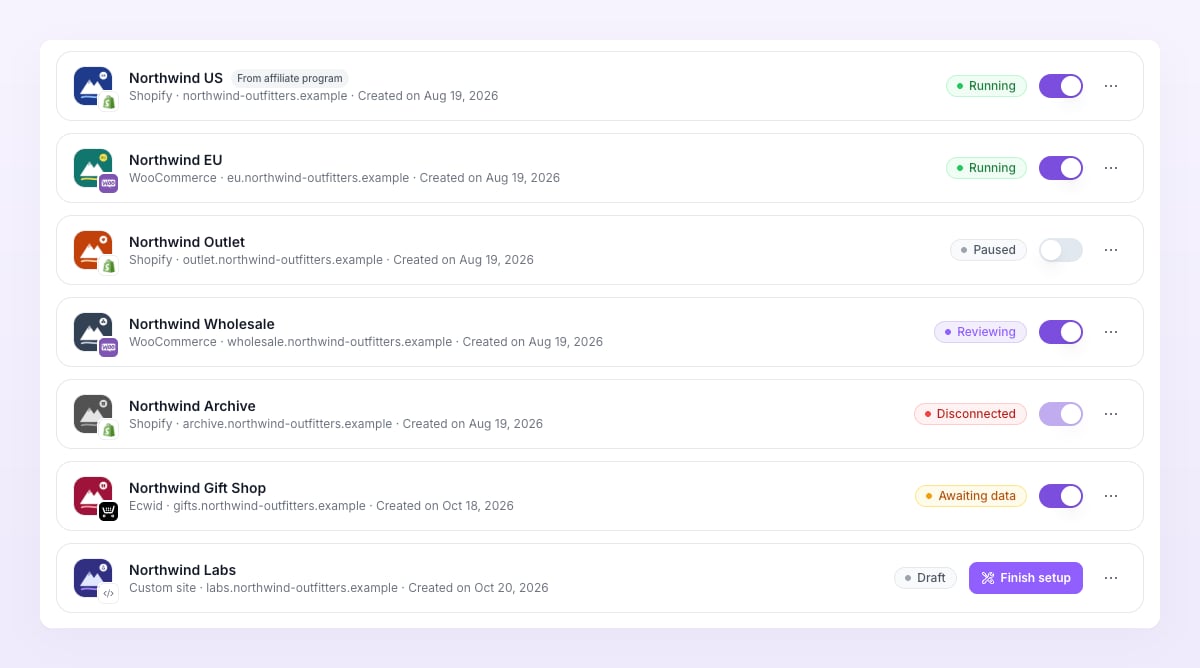
Pixel states
Each pixel row under Pixels and destinations carries a small dot. Hover it to read the state.
Google Ads pixels fire in the browser rather than from Atlas’s servers. Their line reads “N fired in the browser in 24 h”, or, on Shopify, “Not set up in Shopify yet: add the custom pixel, then click Verify” until the custom pixel is connected. See Google Ads pixel.
Delivery statuses
Live activity shows one row per event that reached Atlas and one row per attempt to send it to a pixel. The Status column uses these pills: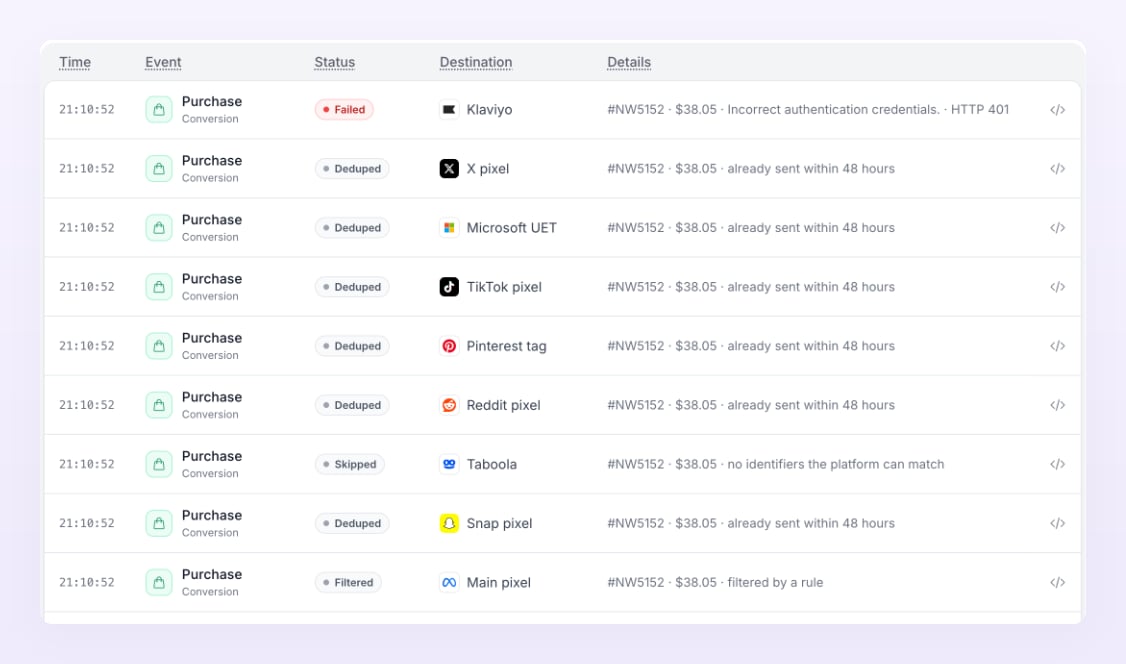
Match types
The Match column of the Recent orders table on the Overview tells you how Atlas tied an order to the visit that produced it. Atlas tries these in order and keeps the first that works.Ad account and campaign statuses
Each connected ad account under Ad center, Ad accounts shows a pill:
Campaign, ad set and ad rows in the Ad center carry the platform’s own status: Active, Paused, In review, Issue, Removed or Unknown. Paused and removed rows are hidden when you turn off Show disabled in the table menu.
Plan statuses
The plan card under Settings, Billing shows one of these:
See Plans and billing for what happens at each step.
Related
Live activity
Watch events and deliveries arrive in real time.
Troubleshooting
What to do when events do not arrive or a pixel shows an error.
Store settings
Attribution, consent, test mode and the danger zone.
Connect ad accounts
Sync states, re-sync and reconnect.