

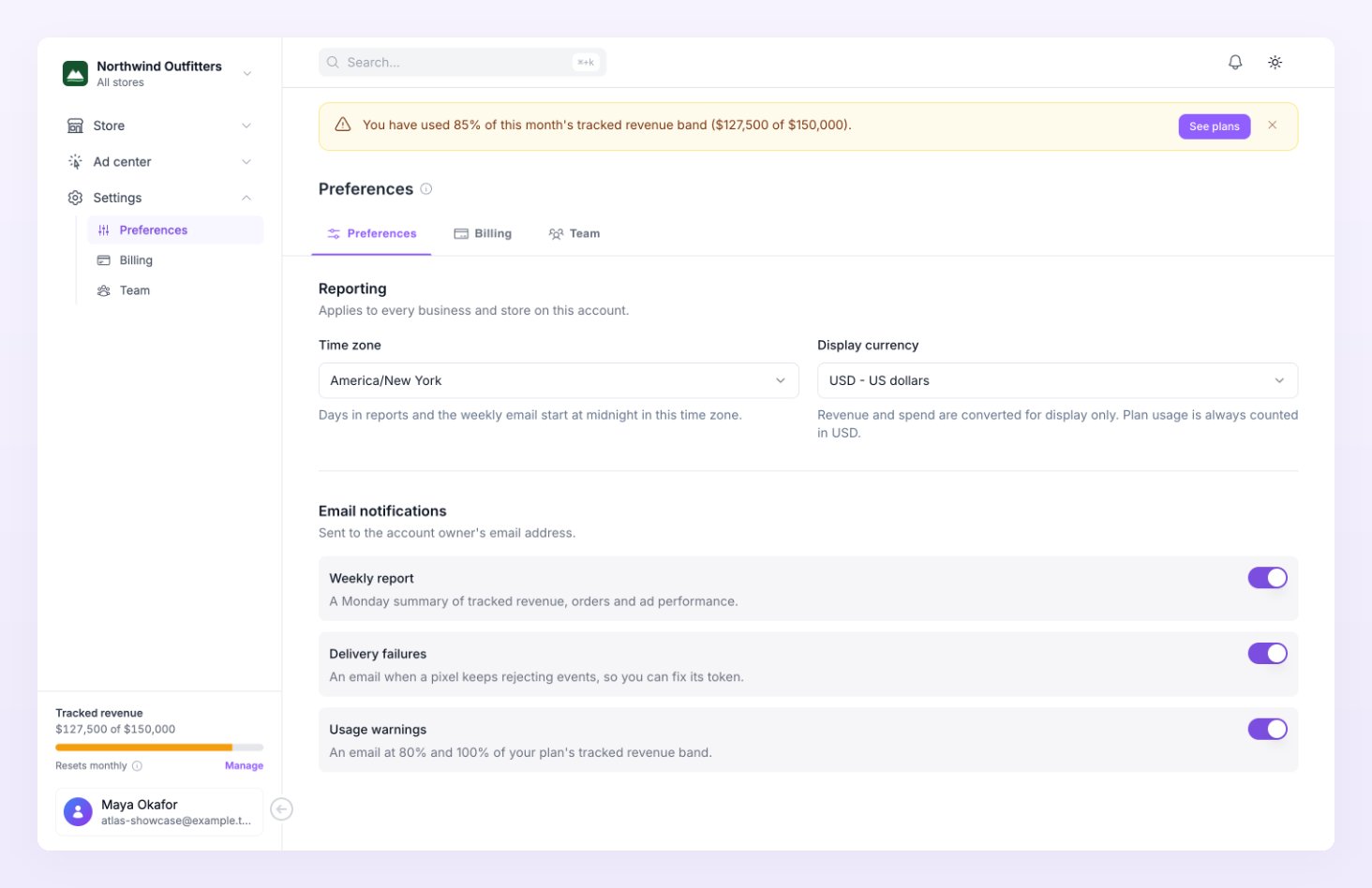
Time zone
The first field under Reporting. “Days in reports and the weekly email start at midnight in this time zone.” Pick any time zone from the list; the default is UTC. A day in your reports runs from midnight to midnight in this zone, so presets such as Yesterday or Last 7 days cover the hours you see on your own clock. Date ranges covers how the presets and the comparison period are built. Each store also has its own time zone in Store settings. When you look at one store, its days follow that store’s time zone. The All stores view follows the stores’ time zone as long as they all share one, and falls back to the time zone you pick here when they differ. The weekly report email covers Monday to Sunday in each store’s own time zone.Display currency
“Revenue and spend are converted for display only. Plan usage is always counted in USD.”
When amounts are converted, Reporting shows a note such as “Amounts in USD, converted from EUR” with an Exchange rates hover card: “Ad spend converts from each ad account’s currency, sales from each store’s.” Nothing stored changes, and the tracked revenue your plan is measured on is always counted in USD, whatever you pick here. See Billing.
Email notifications
“Sent to the account owner’s email address.” Three switches, each on by default:
The weekly report needs an ad account: a store without one is left out, however the switch is set. Turn a switch off to stop that email; the other two keep arriving. These emails always go to the account owner, not to admins or members.
Related
Store settings
Per-store currency, time zone, attribution and consent.
Billing
Plans, the tracked revenue band and the usage meter behind the warnings.
Date ranges
Presets, the comparison period and how days are cut.
Ad center dashboard
The spend and revenue numbers the weekly report sums up.