

The four conversions
Each one can carry a value and a currency, for example the first month’s price on a subscription, and the person’s email or phone so the platforms can match them. Purchases stay purchases: payments arrive as Purchase events as before.
Turn each conversion on or off per pixel under Pixels and destinations. A new pixel starts with the events that fit your business type: a SaaS business starts with Page view, Lead, Sign up, Start trial and Subscribe; a store starts with the cart funnel. Not every platform takes every event: Pinterest has no trial or subscribe event, Snapchat has no lead event, Reddit receives trials and subscriptions as custom events, and Google Ads and X need a conversion label or event ID per event. The platform guides list what each one accepts.
Where conversions come from
Your billing tool or store platform (no code)
Your billing tool or store platform (no code)
Atlas records these from the data integration connected to the store. Payments still arrive as purchases.
Referly's sign-up call (no extra code)
Referly's sign-up call (no extra code)
If your sign-up page already calls the Referly affiliate sign-up helper for your affiliate program, Atlas records every call as a Sign up, for all visitors, not only referred ones. Nothing to change.
The tracking script
The tracking script
Call the tracker where the conversion happens. Pass an id so a page reload or a second report of the same conversion is not counted twice, and the person’s email so the platforms can match them.The full reference is on the Tracker JavaScript API page.
Your backend, Zapier or Make
Your backend, Zapier or Make
Send a request to the Atlas events endpoint with your Atlas API token (from Store settings) or your Referly API key, and a body like this:In Zapier use Webhooks by Zapier, in Make the HTTP module, with the same URL, header and body; the wizard’s Connect your data step shows them filled in. You can send up to 50 events at once. See the Events API.
From your website
The tracking script already records page views and product views. For conversions, add one call where the conversion happens: after the sign-up form succeeds, when the trial starts, on the thank-you page of a lead form. Identify the person first when you can, so a later purchase from the same account is matched too:From your billing tool
Connect the tool in the store wizard’s Connect your data step (or reopen the wizard from All stores). Atlas then records trials and subscriptions straight from the tool’s webhooks, with no code on your site. To make the match to the ad exact rather than by email, pass the Atlas visitor id into the checkout: the wizard shows how for each tool (for Stripe, asreferly_vid in the checkout session metadata). See Connect your data.
From your backend, Zapier or Make
Anything that can send a web request can record a conversion: your own server after it creates an account, a Zap that fires on a new row in your CRM, a Make scenario on a calendar booking. Generate the Atlas API token in Store settings, send the event name, an id, the email and an optional value, and add the visitor id from the browser when you have it. The Events API page lists every field.How duplicates are merged
The same conversion reported twice for the same person within 24 hours, for example once by your site and once by Stripe, is counted and sent once. The server report wins: its value and time replace the browser’s. Reports from the browser wait a minute for a matching server report before they are sent, so the platforms receive the richer version. Within one source, the id you pass is the key: a reload of the thank-you page that reports the same id again changes nothing.Which platforms receive which conversions
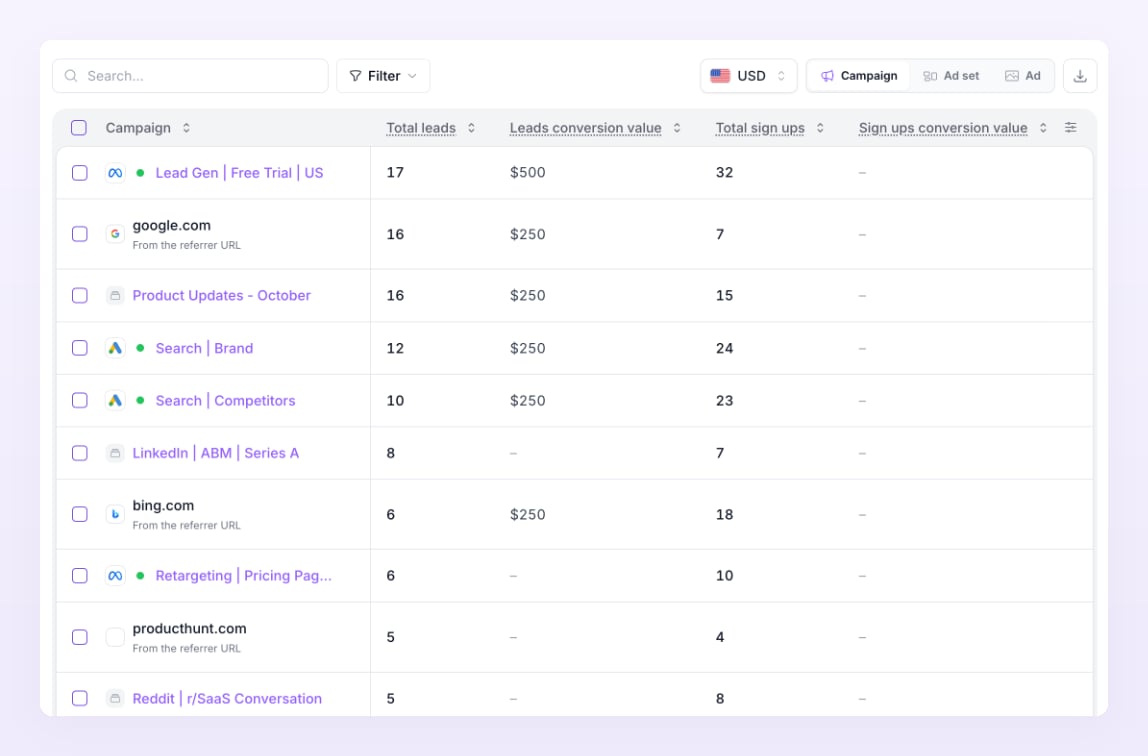
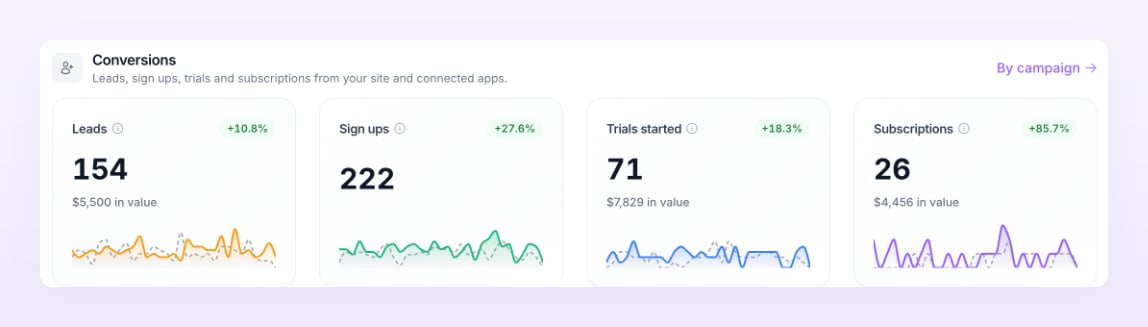
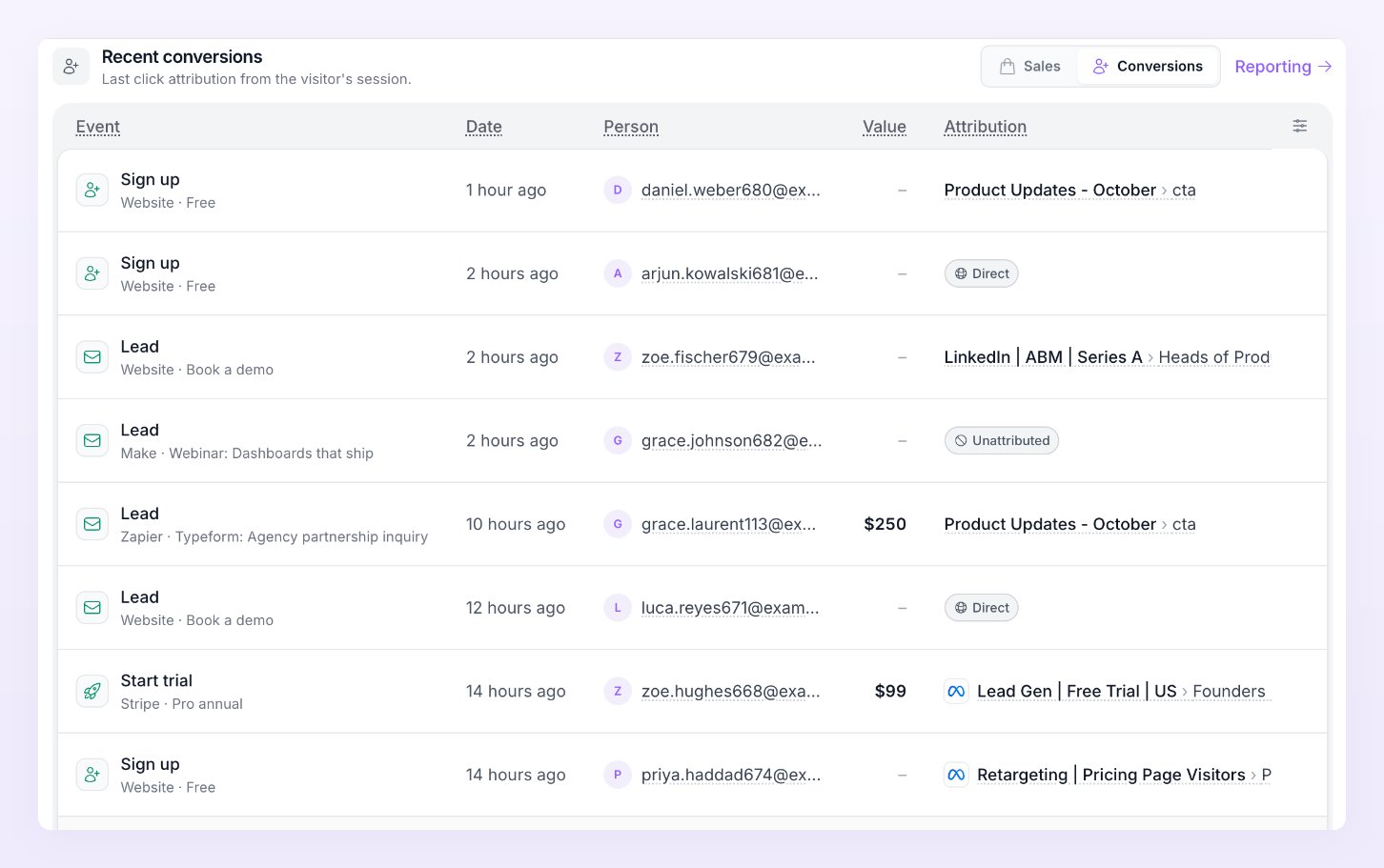
Conversions show in three places: the Conversions tiles on the Overview (first, above revenue, for businesses that have no orders), the leads, sign ups, trials and subscriptions columns on Reporting, and as green rows in Live activity.
Related
Events Atlas sends
Every event, its defaults by business type, and what each platform calls it.
Connect your data
Stripe, Paddle, Chargebee and the other billing tools.
Events API
The endpoint for your backend, Zapier and Make.
Reporting
Conversions by campaign, ad set and ad.