Pop-ups & Banners for Referred Visitors
Show personalized pop-ups and banners to customers who arrive through an affiliate link — featuring the affiliate who referred them, their discount code, and a call-to-action to convert.
What's new
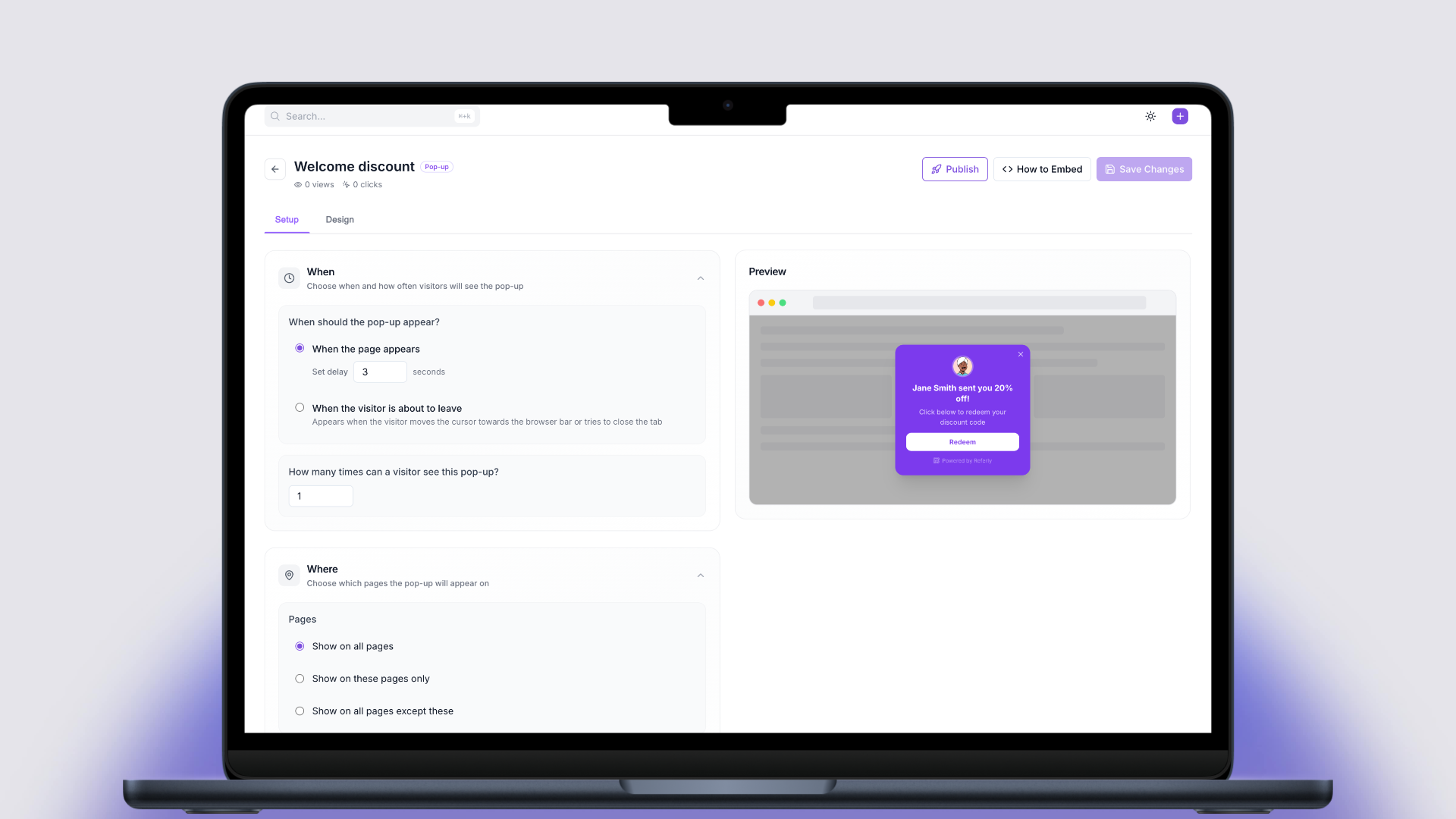
When a customer clicks an affiliate link and lands on your website, you can now display a pop-up or banner that leverages social proof to drive conversions. The pop-up can show the affiliate's name, the discount they're offering, the promo code, and a CTA button — all fully customizable.
For example, a visitor might see:
Sarah sent you 20% off!
Click below to redeem your discount code
FRIENDS20[Redeem]
This only appears to referred visitors — regular visitors who didn't come through an affiliate link won't see anything.
Template variables
Customize your messaging with dynamic variables that are automatically filled in for each affiliate:
{{affiliateName}}— The affiliate's name{{discountValue}}— The discount amount (e.g. "20%" or "$10"){{promoCode}}— The affiliate's promo code{{affiliateEmail}}— The affiliate's email{{programName}}— Your program name
Display types
Pop-up
A modal overlay that appears on the page. Supports multiple style variants, positioning options, and can be triggered on page load (with configurable delay) or on exit intent.
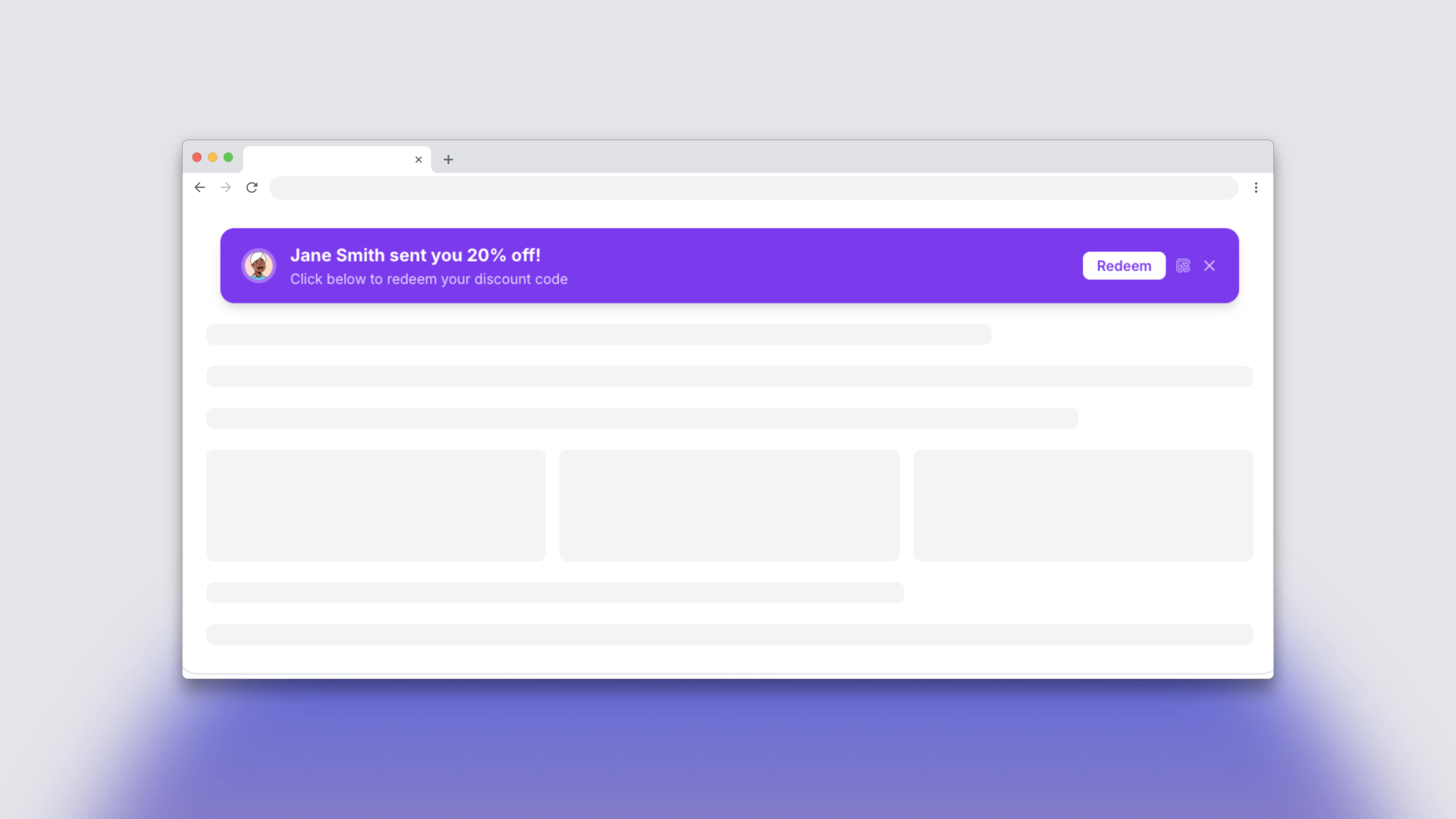
Banner
A bar that appears at the top or bottom of the page. Supports multiple style variants and is less intrusive than a pop-up while still catching attention.
Configuration options
- Show affiliate image — Display the affiliate's profile picture
- Show promo code — Display the discount code prominently
- Show CTA button — Add a call-to-action button with custom text and URL
- Custom colors — Match your brand with custom background, text, and button colors
- Trigger — Show on page load (with delay) or on exit intent (pop-ups only)
- Page rules — Control which pages the pop-up or banner appears on using path conditions
- Max views — Limit how many times a visitor sees the pop-up
- View delay — Set a cooldown between displays (pop-ups only)
- Branding — Option to hide the "Powered by" branding
Analytics
Each pop-up and banner tracks view and click counts, so you can measure engagement and optimize your messaging.
Setup
- Go to Pop-ups & Banners in your dashboard
- Click Create and choose between a pop-up or banner
- Customize the design, messaging, and display rules
- Activate it
- If you already have the affiliate tracker script installed on your site, no additional setup is needed — pop-ups and banners will automatically appear to referred visitors
Requirements
- Affiliate tracker script must be installed on your website
- Available on Business plan and above