

Tax form collection needs the Business plan or higher. See plans and features.
What W-9 and W-8 forms are
W-9 and W-8 forms are US tax information forms that the payer collects and keeps on file. They’re never sent to the IRS. They give you the details and signed certifications you need for year-end reporting:
From tax year 2026, a 1099-NEC is required once a US affiliate’s payouts reach $2,000 in a year. W-8 forms document why US withholding and 1099 reporting don’t apply to affiliates outside the US.
Whether these rules apply to you depends on where your business is. If it’s US-based, the in-app guidance is to collect a W-9 from every US affiliate and a W-8 from every affiliate outside the US before you pay them. If it isn’t, these are US requirements that you generally only need if you’re a US entity or make US-source payments, and your own country may have separate rules. Check with your accountant.
To read this explanation in the app, select What are tax forms? at the top of any affiliate’s tax forms window. It opens About W-9 & W-8 tax forms, tailored to your business’s country and marking which form applies to that affiliate.
Open an affiliate’s tax forms
You can open tax forms from three places. Each one is labelled Tax Forms:- From the affiliate’s detail page. Open the three-dots menu at the top of the profile panel and choose Tax Forms. See The affiliate detail view.
- From a payout. Open a payout’s details and select Tax Forms at the bottom, next to Edit Payout Details.
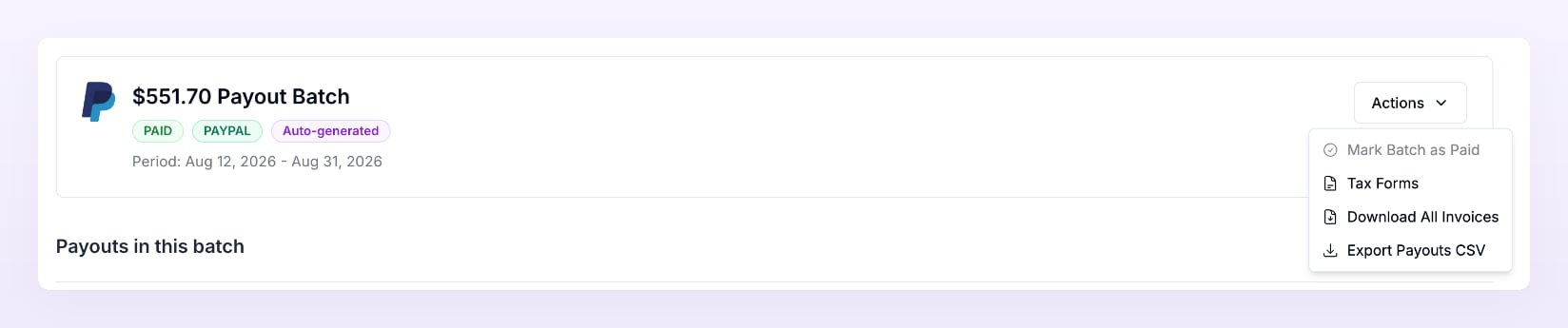
- From a payout batch. Open the batch, open the Actions menu, and choose Tax Forms. A Tax forms list asks you to choose an affiliate in this batch to view or request tax forms. Select the affiliate you want.
See which form Referly suggests
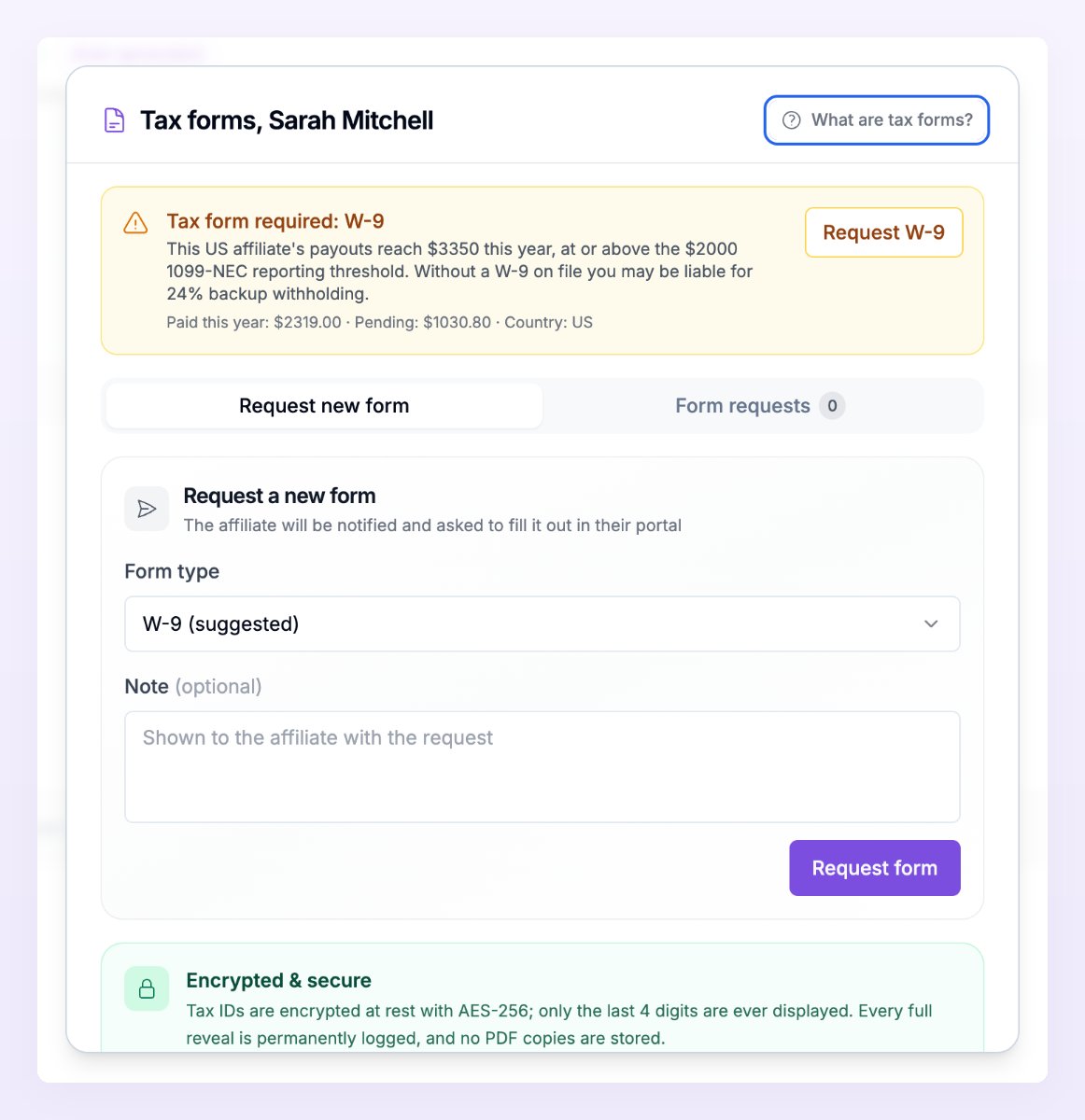
A banner at the top of the window suggests which form to collect from this affiliate, and how urgent it is:- Tax form required: W-9 appears for a US affiliate whose payouts this year (paid plus pending) are at or above the $2,000 1099-NEC threshold. Without a W-9 on file, you may be liable for 24% backup withholding.
- Tax form recommended appears for a US affiliate below that threshold, or for an affiliate outside the US who has been paid this year or has a payout pending.
- No tax form needed right now appears when a valid form is already on file, when an affiliate outside the US has no payouts this year and nothing pending, or when Referly doesn’t know the affiliate’s country.
- Affiliates in the US get a W-9.
- Affiliates outside the US who are individuals get a W-8BEN.
- Affiliates outside the US who are businesses get a W-8BEN-E.
Request a form
You can request the suggested form in one click, or choose a form yourself.- Suggested form. Select the Request button in the banner, for example Request W-9. It only appears when a form is required or recommended.
- Any form. On the Request new form tab, choose a Form type (W-9, W-8BEN, or W-8BEN-E). The suggested form is marked (suggested) and selected for you. Add a Note (optional) if you want to give the affiliate context, since it’s shown to them with the request. Then select Request form.
Requesting a tax form doesn’t hold back the affiliate’s payouts. Referly doesn’t stop a payout because a form is missing, so if you want a form on file before you pay someone, check the Form requests tab before you pay their batch.
Track requests in the Form requests tab
The Form requests tab lists every form you’ve requested from this affiliate, with a count next to the tab name. Each request shows the form, for example Form W-9, and a status:
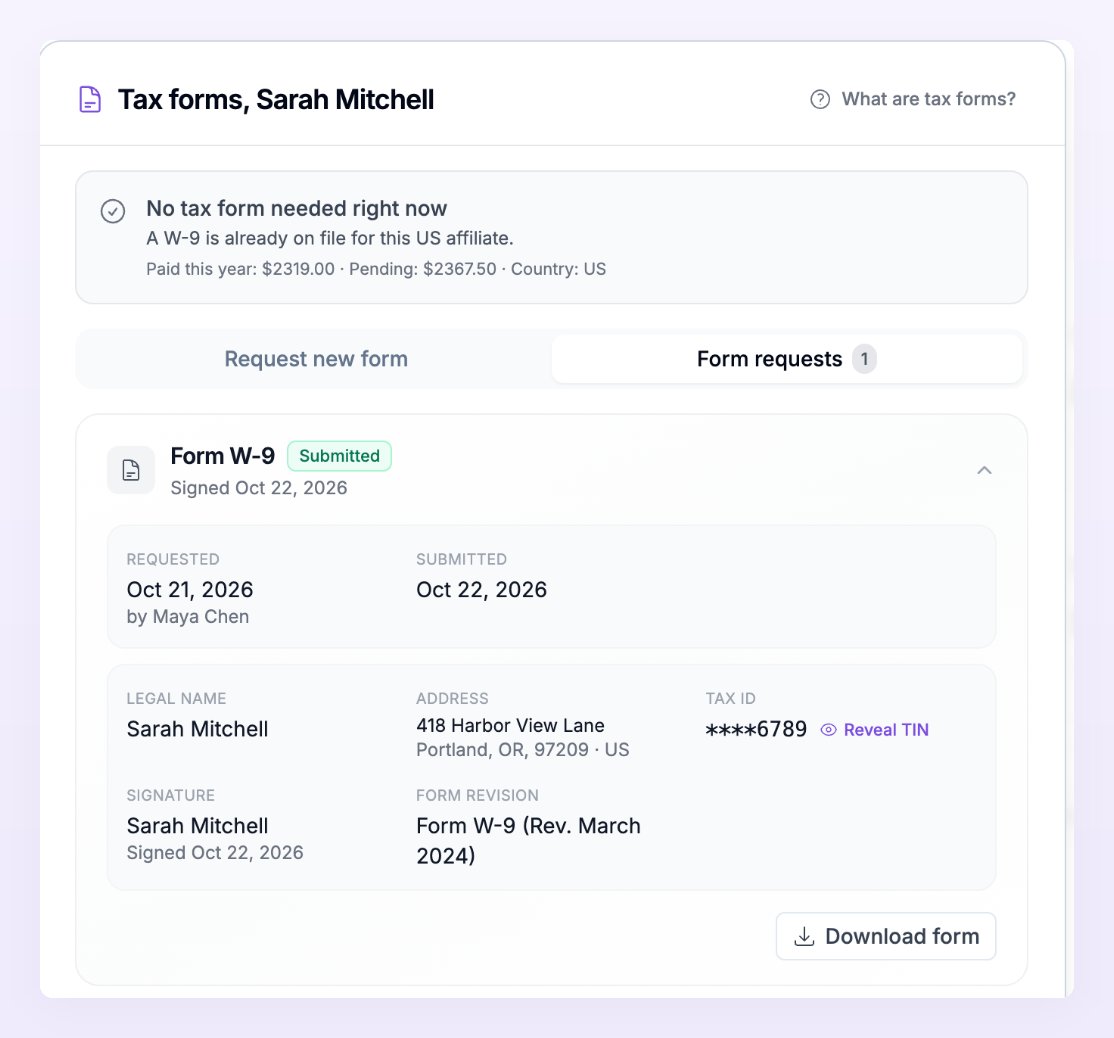
Select a request to expand it. You’ll see when it was Requested and by whom, when it was Submitted, when it Expires (for W-8 forms), and any Note to affiliate. For a submitted form, you’ll also see the affiliate’s Legal name, Business name, Classification, Address, Tax ID, Signature, and Form revision.
Reveal a tax ID
Tax IDs are stored encrypted, and only the last four digits are shown, for example****1234. When you need the full number, select Reveal TIN next to it. A reminder appears that This reveal is logged: every full reveal is permanently recorded.
Referly doesn’t store PDF copies of submitted forms.
Download a completed form
On a Submitted request, select Download form to get the official IRS form filled in with the affiliate’s answers, as a PDF. It contains the full tax ID, so each download is logged the same way as a reveal. Store the file somewhere secure.Void a request
If you no longer need a form that’s still Awaiting affiliate, expand the request and select Void request. Confirm with Void request in the window that asks Void this tax form request?. The affiliate is no longer asked to fill it out, and the request shows as Voided. You can request a new form at any time.When W-8 forms expire
W-8BEN and W-8BEN-E forms are valid until December 31 of the third year after they’re signed. For example, a form signed in 2026 expires on December 31, 2029. W-9 forms don’t expire. The Expires date shows on each W-8 request. Once it has passed, the form shows as Expired, and the affiliate sees it as expired in their portal with the option to submit a new form. To ask for a fresh one yourself, request the form again from the Request new form tab.Related
Tax forms for affiliates
What affiliates see when you request a form, and how they sign it.
Tax and invoices
Self-billing invoices and VAT for your payouts.
The affiliate detail view
Every action you can take on one affiliate.
Payout batches
Open a batch to review and pay it.