

Looking for your ad platform pixels (Meta, Google Ads, TikTok and more) and server-side conversion events? Those are part of Referly Atlas, which has its own pixel guides.

Where to find your integrations
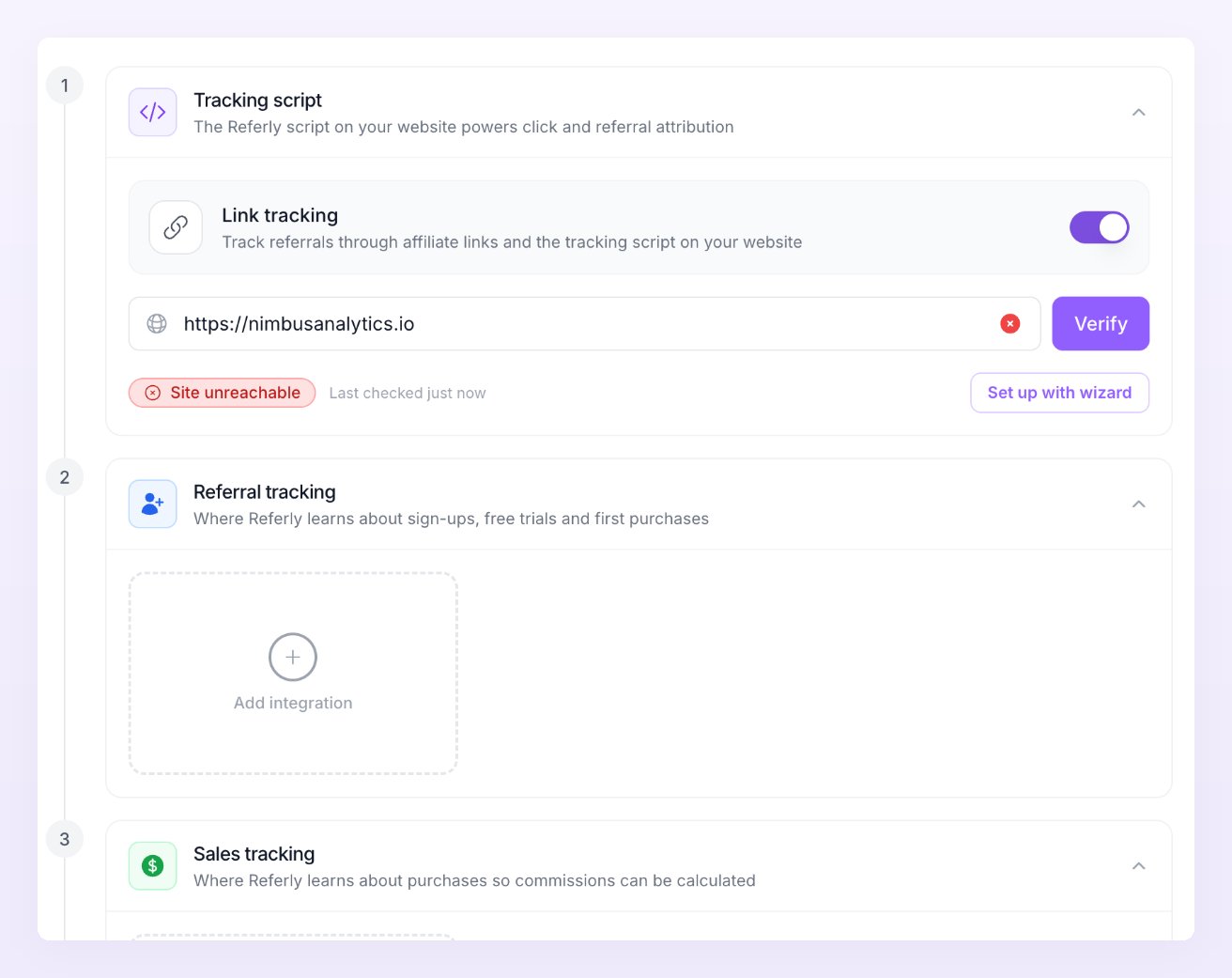
In the left sidebar, select Settings, then Integrations. You land on Connected integrations, which shows everything linked to your program in six sections:- Tracking script: the Referly script on your website, which records clicks and referrals.
- Referral tracking: where Referly learns about sign-ups, free trials and first purchases.
- Sales tracking: where Referly learns about purchases, so commissions can be worked out.
- Coupons: affiliate coupon codes created and tracked through your payment processor.
- Payouts: the providers you pay your affiliates through.
- Email integrations: email tools your new affiliates are added to automatically.
The two pieces of an integration
Most setups need both halves, and they do different jobs:- A connection to your payment provider. This is what lets Referly read your sales and refunds, so it knows the real amount of every order and can work out the commission. For some providers it also lets Referly create the discount codes your affiliates hand out.
- Tracking on your site or checkout. This is what tells Referly which affiliate a given sale belongs to. Without it, Referly sees the sale but has no idea who sent the customer.
Connect your payment provider
In the Sales tracking section, select Add integration, then pick your provider from the list (you can search for it by name). Its setup steps open, and for most providers the first step has a button such as Connect Stripe that opens the provider’s connection panel.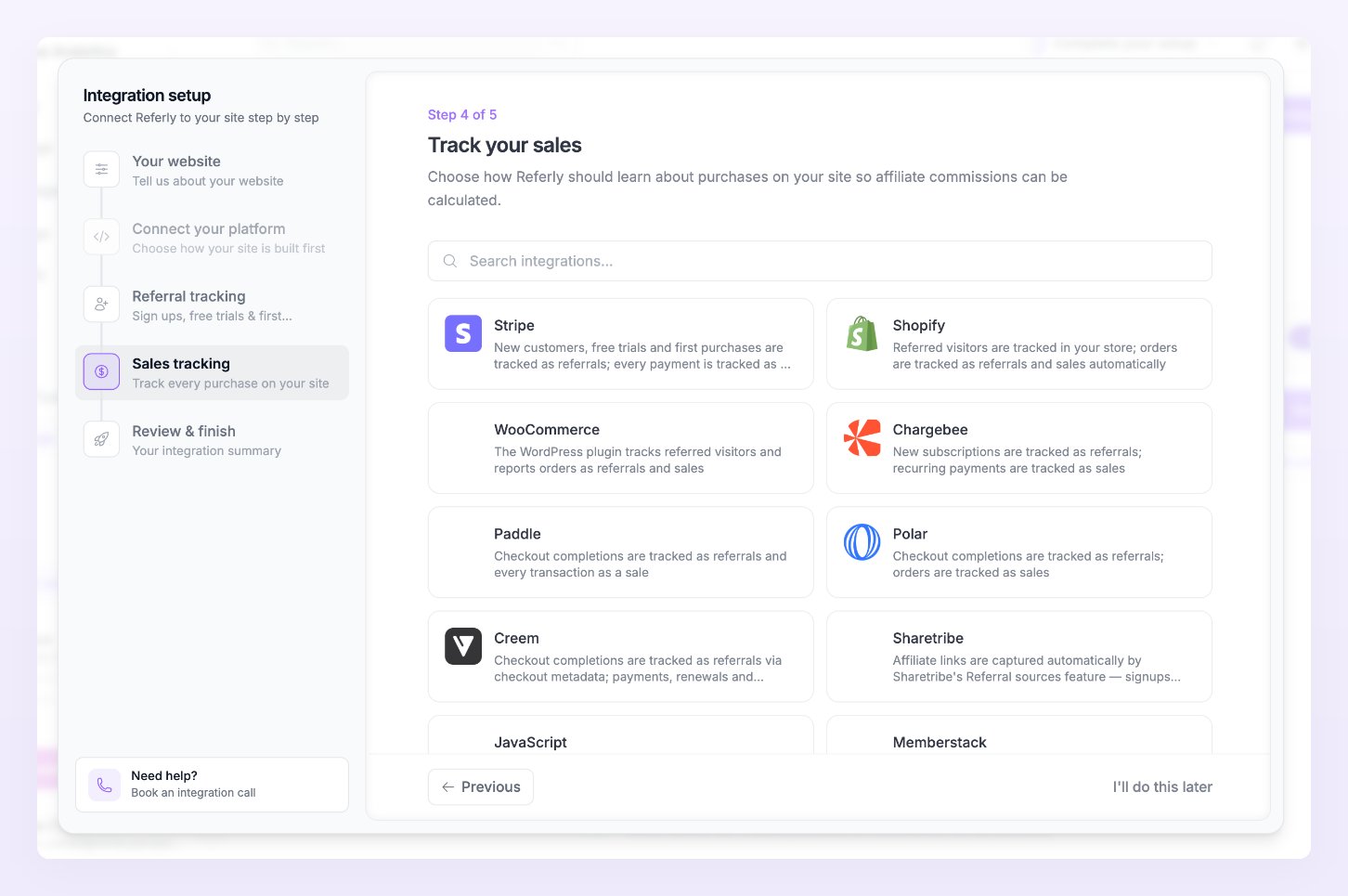
- Stripe and Shopify connect by signing in and approving Referly. There’s nothing to copy and paste. Stripe also offers a test mode connection if you want to try the flow before going live.
- Ecwid connects when you install the Referly app from the Ecwid App Market. See the Ecwid guide.
- Chargebee, Paddle, WooCommerce, Polar, Creem, and Sharetribe ask for credentials from that tool, such as an API key or access token. Referly tells you exactly which fields it needs and which permissions to switch on before you generate the key, so open that panel first and follow it in order.
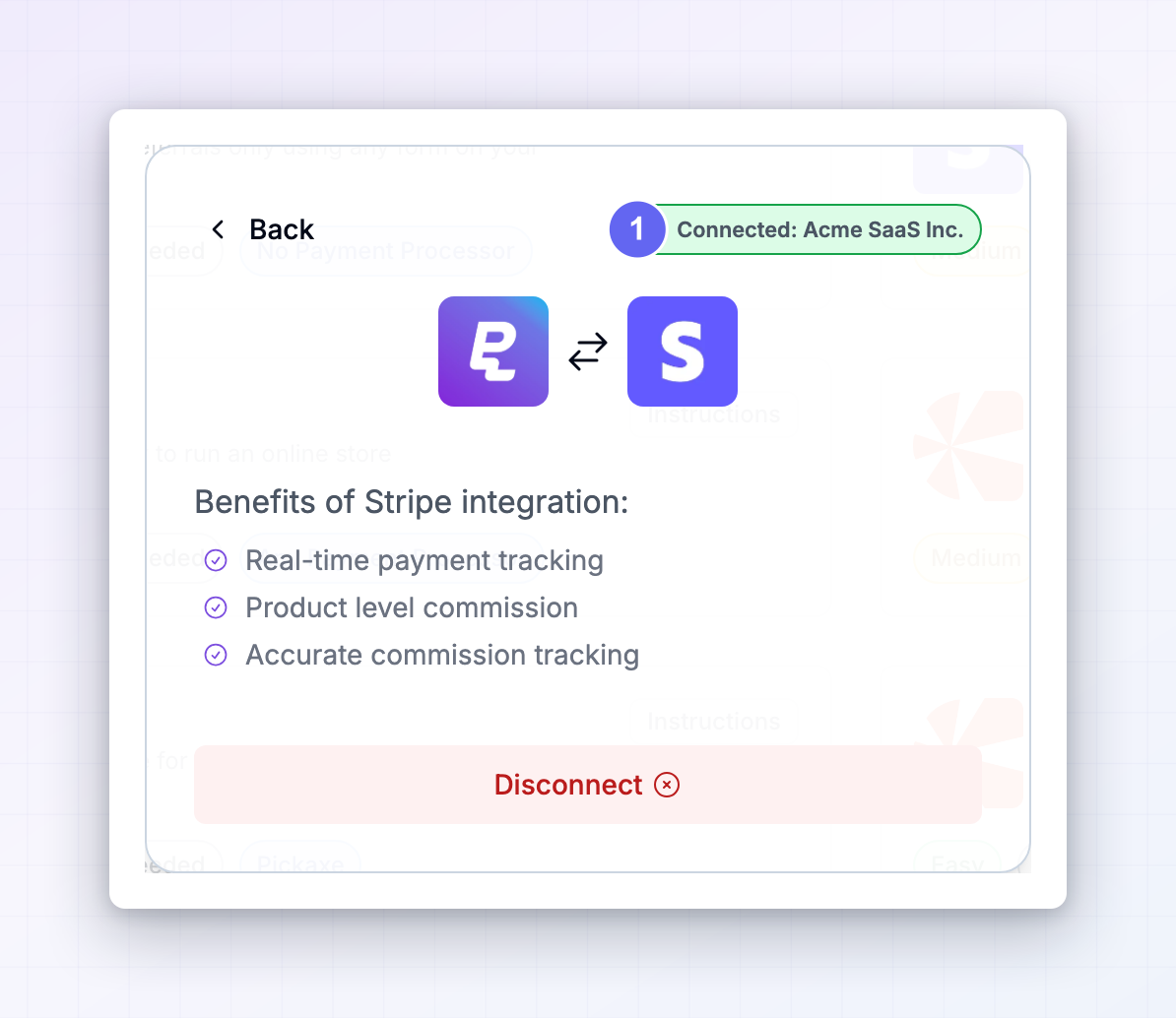 To unlink a provider, open the same panel and select Disconnect.
Choose the right setup guide
Every integration you pick under Referral tracking or Sales tracking comes with its own step-by-step guide. The steps open in the order you do them, with your program’s own tracking code already filled in, so there’s nothing to assemble yourself.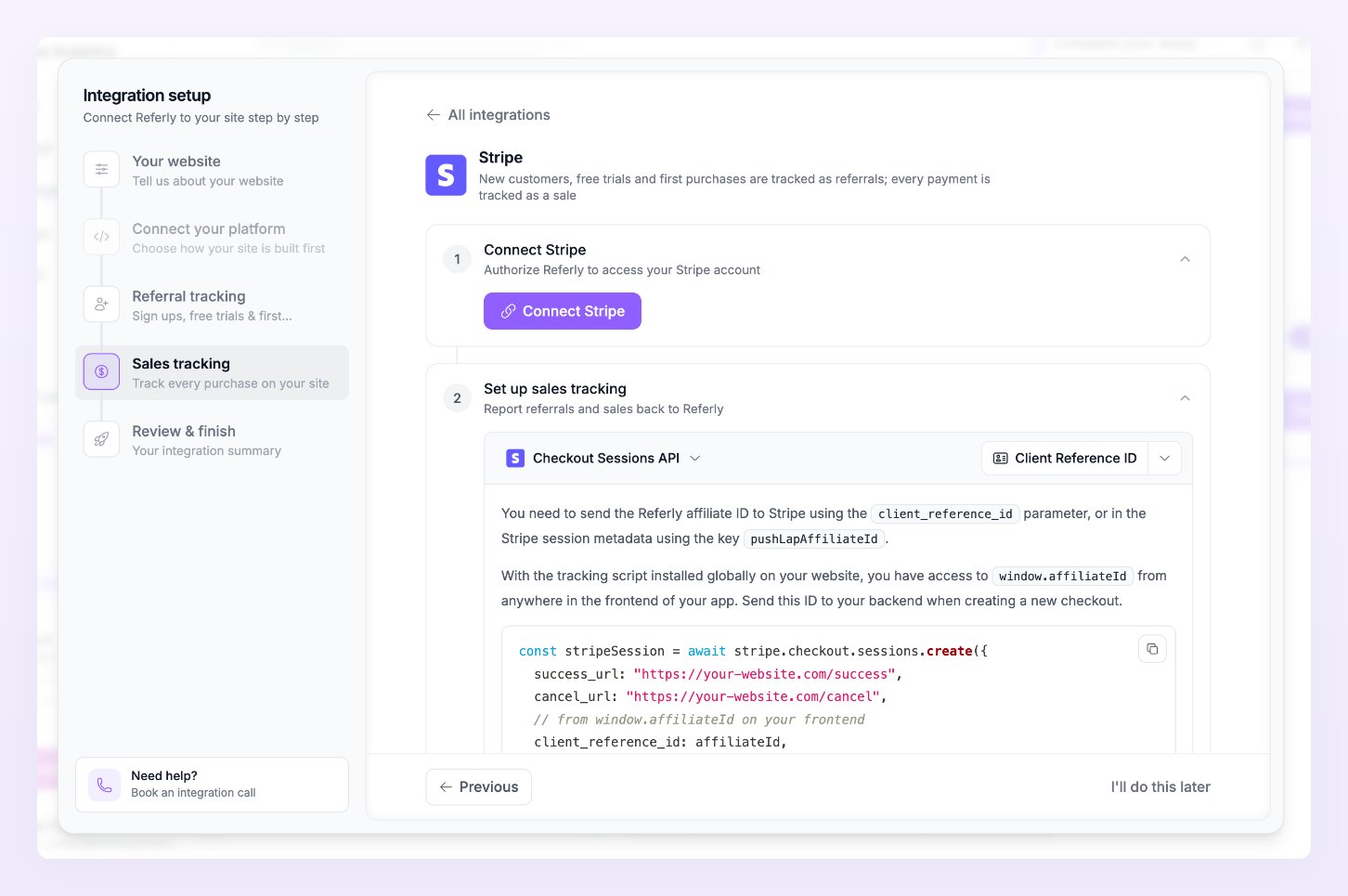
If an agency runs your program for you, you may see fewer cards than are listed here. Agencies can hide integrations they don’t support, so your list reflects what your agency has made available.
Payments and ecommerce
Stripe
Connect Stripe and pick the setup that matches your checkout.
Shopify
Track referred orders from your Shopify store.
WooCommerce
Track sales from a WooCommerce store on WordPress.
Paddle
Track referrals through Paddle overlay checkout.
Chargebee
Drop-in, payment links, or the Chargebee API.
Polar
Payment links, embedded checkout, or the Polar API.
Creem
Track sales, renewals and refunds from Creem checkouts.
Ecwid
Install the Referly app from the Ecwid App Market.
Sharetribe
Track signups, purchases and bookings on your marketplace.
Zylvie
Track sales on your Zylvie order success page.
Stripe setups
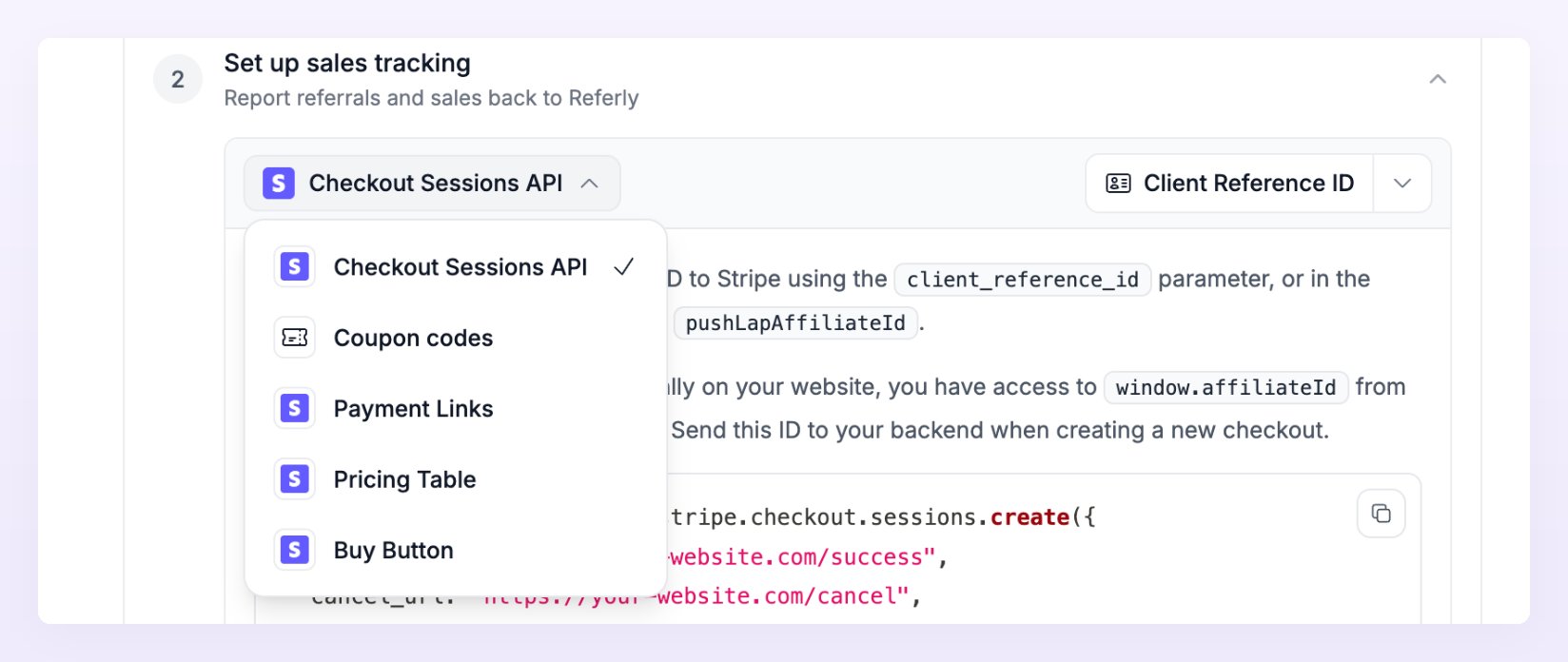
Five different ways to sell with Stripe, each with its own guide. Open the one that matches your checkout.Session API
For Stripe Checkout or subscriptions created in code.
Payment Links
For Stripe payment links shared on your site.
Pricing Table
For an embedded Stripe pricing table.
Buy Button
For the Stripe buy button on your website.
Coupon Codes
Track affiliate sales through discount codes instead of links.
Other platforms
Memberstack
Memberstack sites that take payment with Stripe.
WordPress
Add Referly tracking to a WordPress site.
Calendly
Track referrals and paid bookings from Calendly.
Cal.com
Track referrals and sales from Cal.com bookings.
Pickaxe
Track sales from a Pickaxe store.
Skillplate
Track sales from Skillplate products.
If your platform isn’t on the list
You don’t need a named integration to run a program. Four options cover almost everything else:- Universal Forms Integration tracks referrals through any form on your website, with no payment processor involved. It’s the simplest option if you only need to know who referred a sign-up.
- Zapier connects Referly to more than 8,000 apps, and Make to more than 2,400, so you can pass sales in from a tool Referly doesn’t talk to directly.
- The Referly API gives a developer full control over how sales are reported. It’s the most flexible route and the most involved.
Universal integration
Track referrals through any form on your site.
Zapier
Connect Referly to 8,000+ apps without code.
Make
Build automated scenarios with 2,400+ apps.
Developer documentation
API, webhooks, and custom tracking for developers.
Integrations set up somewhere else
Two kinds of connection have their own settings, because they’re part of a different job. You can also connect both from the Email integrations and Payouts sections of the Integrations page:- Email marketing. Klaviyo, Mailchimp, MailerLite, and Brevo sync your affiliates into a mailing list so you can send them campaigns. Connect these under Settings, then Affiliate portal, then Email settings. See email marketing integrations.
- Payout methods. Wise, PayPal, and Referly Payouts are how you actually send affiliates their money. Set these up under Settings, then Program details, then Payout settings. See payout methods.
Related
Tracking methods
Choose how referrals are matched to affiliates.
Set up your program
The full first-time setup, start to finish.
Commission plans
Decide what each affiliate earns on a referred sale.
Payment provider webhooks
How Referly receives sale events from your provider.