

The plans
Referly has three plans for brands running their own affiliate program, and three for agencies running programs for clients. Prices are in US dollars. Yearly prices are charged once a year, and the figure in brackets is what that works out to per month.Plans for brands
Plans for agencies
Every plan includes link and coupon code tracking, manual referral tracking, custom cookie duration, fraud protection, refund handling, recurring commissions, real-time currency conversion, a branded affiliate portal in 15 languages, marketing assets, custom questions on your affiliate sign-up form, data import, all integrations, email support, and access to the Discord community.
If you’re on an earlier plan
If you subscribed before the current plans launched in August 2026, you keep your original plan, price, and limits (including the Indie plan) for as long as you stay on it. Changing your plan or billing period in the plan chooser moves you onto the current plans and their limits. The earlier plans are no longer offered, so you can’t move back to them afterwards.What the limits count
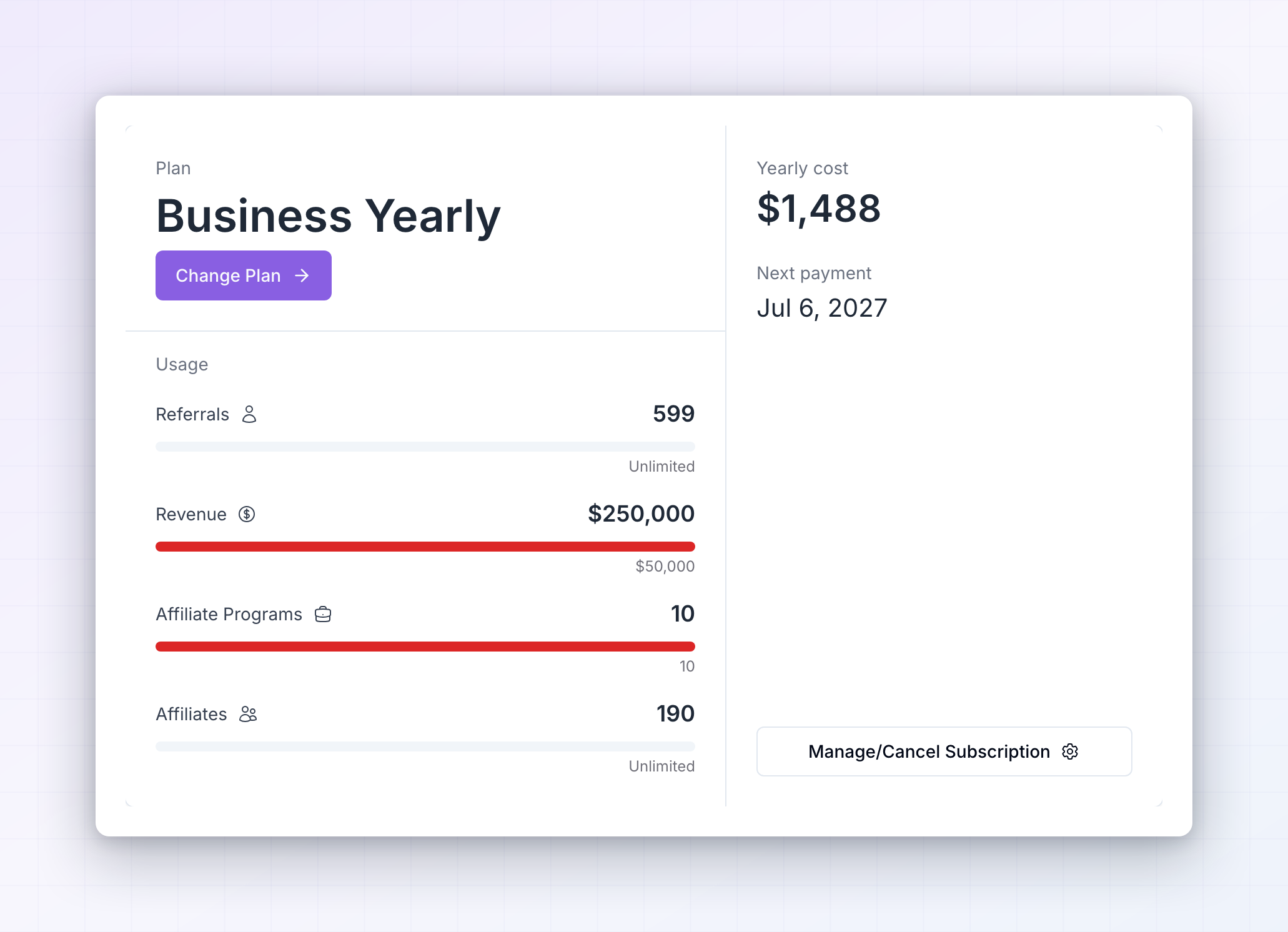
Five numbers are tracked against your plan, and you can see all of them on the Subscription screen under Usage.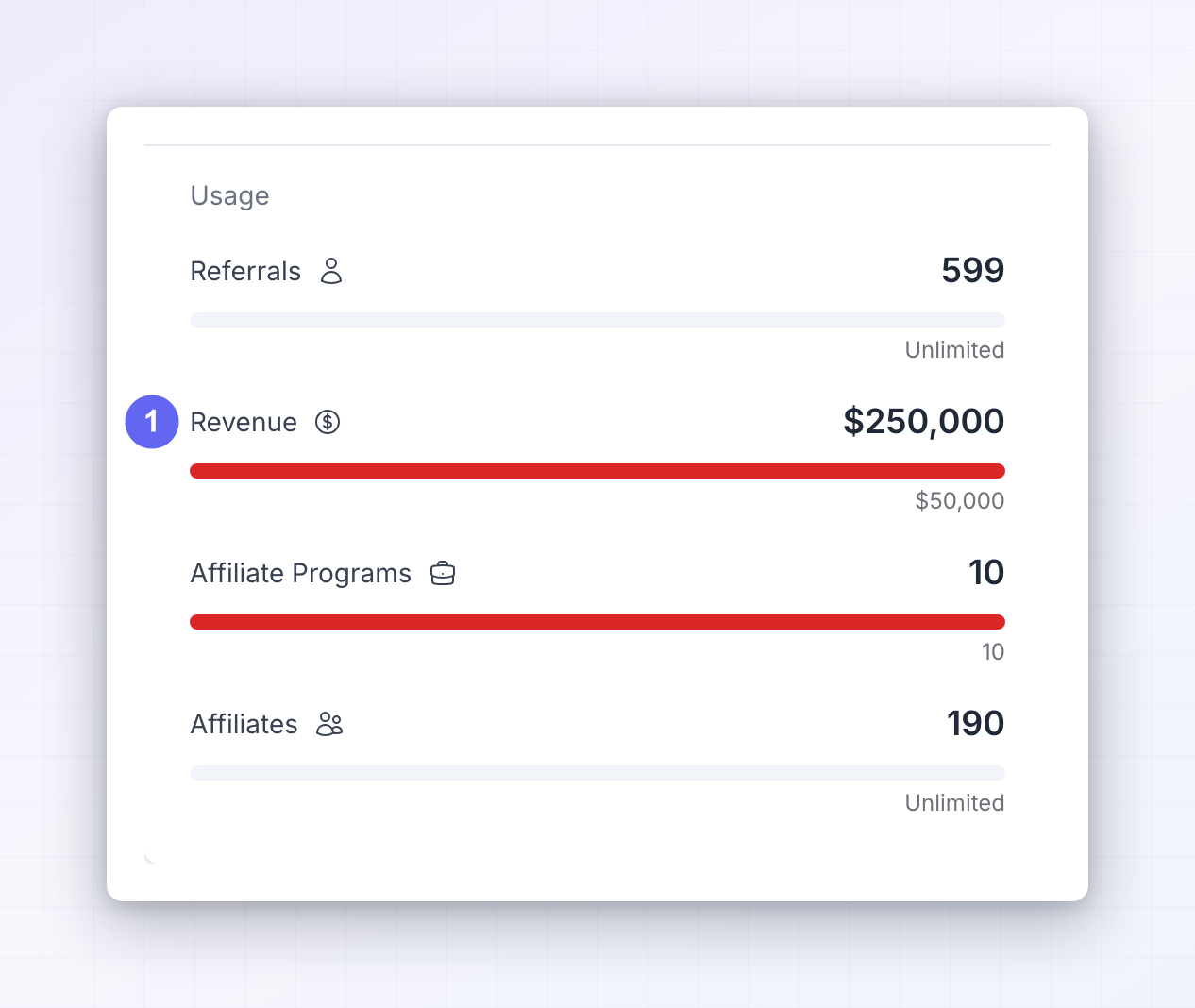
- Referrals — the number of referred customers recorded in the current month. It resets at the start of each billing month.
- Revenue — the total value of referred sales recorded in the current month. This is your customers’ spend, not your commission bill, and it also resets each month.
- Affiliates — how many affiliates exist in your program. This is a running total, not a monthly one.
- Affiliate programs — how many separate programs you can run. Most businesses need one; you’d add more for a second brand or product line.
- Team seats — how many people you can invite into your dashboard.
What each plan adds
Moving up a plan unlocks limits and features together. Here’s what appears at each step.Startup
The starting point for a single program. It includes everything listed above as part of every plan, such as referral link and coupon code tracking, manual referral tracking, custom cookie duration, refund handling, recurring commissions, marketing assets, custom questions on your affiliate sign-up form, and a branded affiliate portal in your affiliates’ own language. Payouts are approved and sent by hand on this plan. Commission plans, per-affiliate rates, and automatic coupon generation start at Business.Business
The plan for growing programs and for connecting Referly to your own systems. On top of everything in Startup you get:- Automated payouts
- Commission plans, product-based commissions, advanced commission rules, step-down commissions, and individual affiliate commissions
- Affiliate milestones and multi-level commissions
- API access, webhooks, and the customer referral widget
- Custom domain for your affiliate portal, Referly branding removed, and the portal copy editor so you can rewrite any portal text
- Custom email builder and your own email sending domain
- Automatic coupon generation and cross-domain tracking
- Pop-ups and banners for referred visitors
- EU-compliant invoice generation, tax form collection (W-9 and W-8), a custom terms of service, and a custom bank details form for affiliates
- Free developer and integration support
- 5 programs, 5 team seats, up to 1,000 affiliates, and unlimited referrals
Enterprise
Enterprise includes everything in Business, with unlimited affiliates, referrals, and team seats, unlimited live performance bonuses, and all three add-ons (Engage, Gamify, and Influencer Discovery with 500 invitations a month). Enterprise is billed yearly and set up with our team. It’s priced by how much referred revenue you track each month, starting at $4,788 a year, and your contract sets your revenue and program limits. In the plan chooser, select Speak with us on the Enterprise card to book a call. If you’re on a custom Enterprise contract, the Subscription screen says so. Contact your account manager to change your plan.Agency
Agency plans include everything in Business, plus what you need to run programs on behalf of clients: unlimited affiliates, referrals, referred revenue, and team seats, your own logo and domain on the admin dashboard, custom pricing plans for clients, and the ability to bill and invoice those clients. Any of the three agency plans switches on agency mode.- Agency gives you 15 programs and 10 live performance bonuses.
- Agency Pro gives you 30 programs, 15 live performance bonuses, and one add-on of your choice at no extra cost.
- Agency Scale gives you 60 programs, unlimited live performance bonuses, and all three add-ons. It’s set up with our team: select Speak with us on its card.
If your program is managed by an agency, your Subscription screen shows a notice pointing to the agency account instead, and a Go to Agency Account Billing button. Billing for the program lives there. See for agencies.
Marketplace licenses
Some plans make listing in the Referly marketplace cheaper. When you buy a marketplace license, it starts with a free trial of 30 days on Business and 150 days on Enterprise and the agency plans. Enterprise also includes 1 free marketplace license, and the agency plans include 5 (Agency), 10 (Agency Pro), or 20 (Agency Scale). Free licenses become available once your paid plan starts.Monthly or yearly billing
Each plan card in the plan chooser has an Annual switch next to the plan name, with “2 months free” underneath. Turning it on switches every card to yearly pricing: the big number shows the monthly equivalent, and the line under it shows the yearly total, for example “Billed $1,490 yearly”. Enterprise is only billed yearly, so its card shows Billed annually instead of the switch. Yearly is charged once for twelve months and costs the same as ten months of the monthly price. Yearly plans start straight away without a free trial. You can move between monthly and yearly at any time by picking the other option and choosing your plan again.During your free trial
Startup, Business, Agency, and Agency Pro come with a 14-day free trial on monthly billing. Select Start 14-day free trial on the plan card. You add a card at checkout, and when the 14 days are up your paid plan starts on that card. You can cancel at any time during the trial. Your trial runs with the real limits of the plan you picked, so you can import affiliates and track referrals at full size. While it runs, your plan name carries a Free Trial badge, and the Subscription screen shows a “You’re on a free trial” banner with the days left and a Start Paid Plan button.
If your Referly account was created before August 2026, your trial uses smaller trial limits instead: 1 program, 10 affiliates, 25 referrals, $500 in referred revenue, and 1 team seat. The Usage section shows a Trial Limits Active pill while they apply.
When you reach a limit or a locked feature
Nothing is deleted and nothing breaks when you hit a limit. Referly stops adding beyond it and shows you an upgrade prompt with the plan that lifts it, for example when you try to add your 201st affiliate on Startup. The prompt reads “You have reached your plan limit”, tells you how much you’ve used, and names the plan that gives you more room. Features that aren’t in your plan behave the same way. A locked section shows a faded preview with a card on top that says “Unlock” and the feature name, a badge naming the plan or add-on that includes it (such as Business plan or Gamify add-on), and an Unlock now button. A locked button stays visible, and selecting it opens the prompt. That way you can always see what’s available before deciding to pay for it. The prompt always names the lowest plan or add-on that unlocks what you need and lists what it gives you. Depending on where you are, the button reads Switch to followed by the plan name, Start your paid plan, Start your free trial, or Add for followed by the add-on price. For Enterprise and Agency Scale it reads Speak with us, which books a 20-minute call with our team. Before Referly charges the card you have on file for a plan change, it shows you the exact amount and the card and asks you to confirm.Compare plans before you upgrade
On the Subscription screen, select Change Plan (or Choose Plan if you don’t have one yet). The Choose your plan panel opens with the plans side by side and your current one marked Current Plan. Use I’m a brand and I’m an agency at the top to switch between the brand and agency plans, and hover over a feature on a card to see what it means. View full pricing page at the bottom opens the full comparison.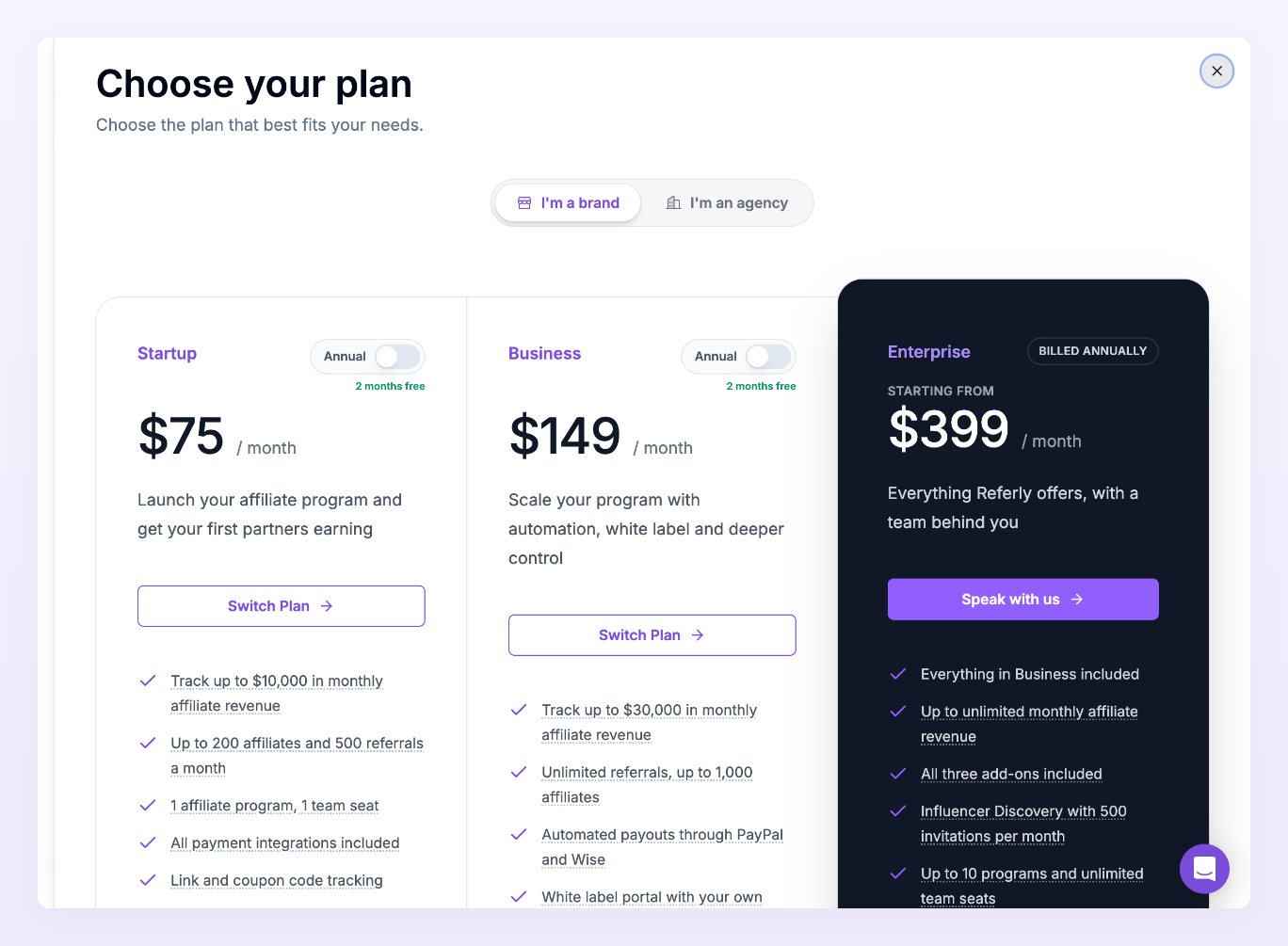
1
Look at your usage bars
Whichever bar is closest to full is the limit that will stop you first. Choose the plan that clears it with room to grow.
2
List the features you actually need
Coupon tracking and marketing assets are on every plan. Automated payouts, commission plans, API access, custom domains, and removing Referly branding start at Business. Running programs for clients and billing them needs an agency plan.
3
Decide monthly or yearly
If you’re committed for the year, yearly gives you two months free. Monthly plans let you start with a free trial.
Related
Manage your subscription
Change plan, switch billing period, or cancel.
Add-ons
Engage, Gamify, and Influencer Discovery.
Invoices
Find and download your Referly receipts.
API access
Which plans can call the Referly API.