

The add-ons and their prices
Prices are in US dollars. Each add-on is its own subscription, billed separately from your plan.Your billing page lists Engage as Engagement add-on and Gamify as Gamification add-on. They’re the same add-ons.
What each add-on unlocks
Engage
Engage turns on the tools for keeping your affiliates active and informed:- Unlimited messaging, including group chats and broadcasts
- Full chat history and file attachments, and sharing marketing assets and performance bonuses in chat
- Unlimited announcements, with automations that send them for you
- Affiliate acquisition and onboarding funnel reports
Gamify
Gamify adds ways to reward your best affiliates and keep everyone competing:- Contests with cash and non-cash prizes
- Unlimited live performance bonuses, however many your plan normally allows
- Affiliate milestones with automatic tier upgrades (also included with Business and higher plans)
- Content rewards for creator posts
- The option to hide your public leaderboard
Influencer Discovery
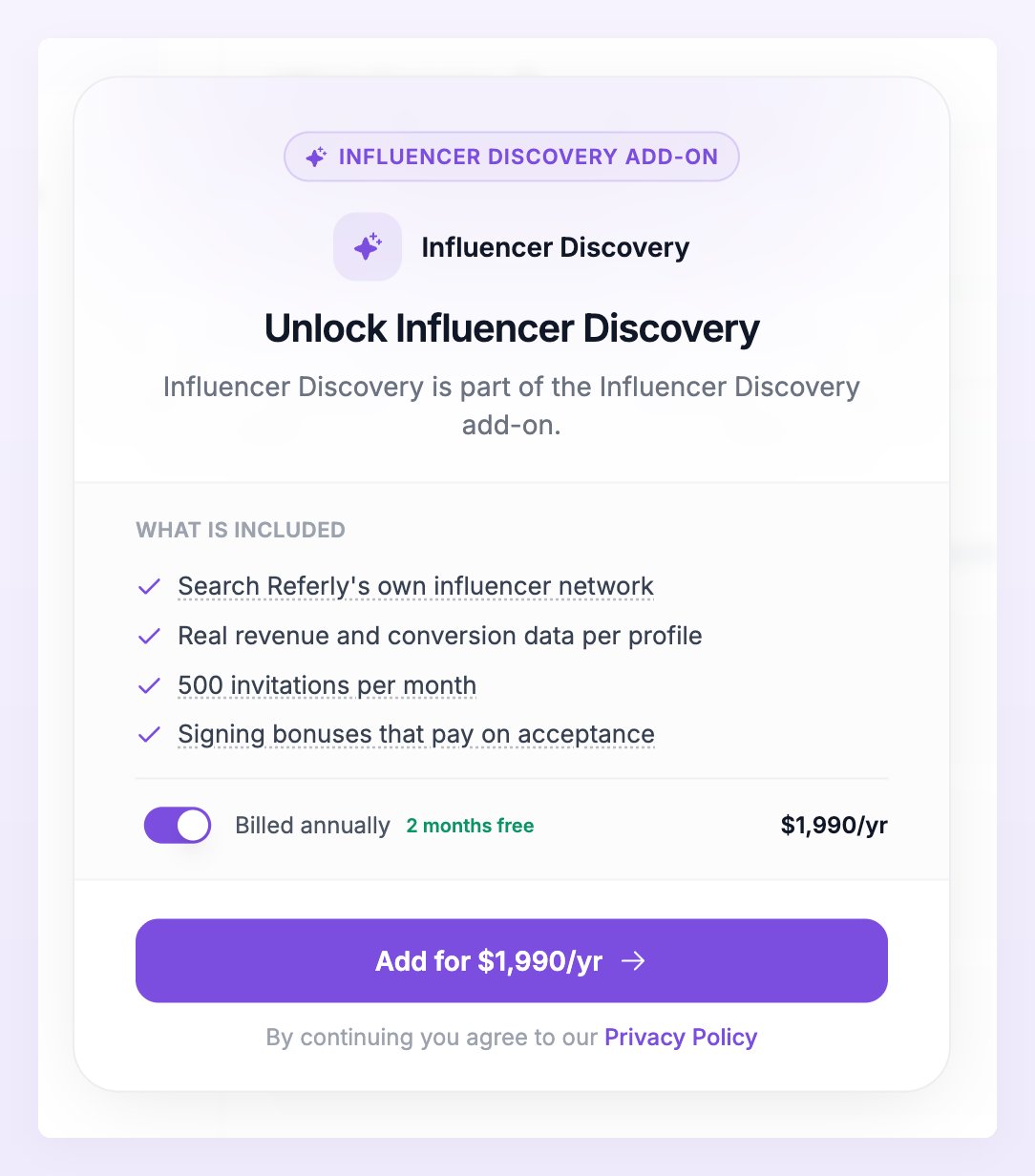
This add-on opens Influencer Discovery, in the Grow section of your sidebar, so you can recruit creators who already promote other programs:- Search Referly’s own network of affiliates and influencers
- See real revenue and conversion data on each profile
- Send up to 500 invitations a month
- Offer signing bonuses that pay out when a creator accepts
Influencer Discovery needs an active paid plan. You can’t add it during a free trial or without a plan. Start your paid plan first, then come back to add it.
Which plans include add-ons
When an add-on comes with your plan, its row on the Add-ons card says Included with Enterprise or Included with your plan, and there’s nothing to buy. See plans and features for everything else each plan includes.
Pick your included add-on on Agency Pro
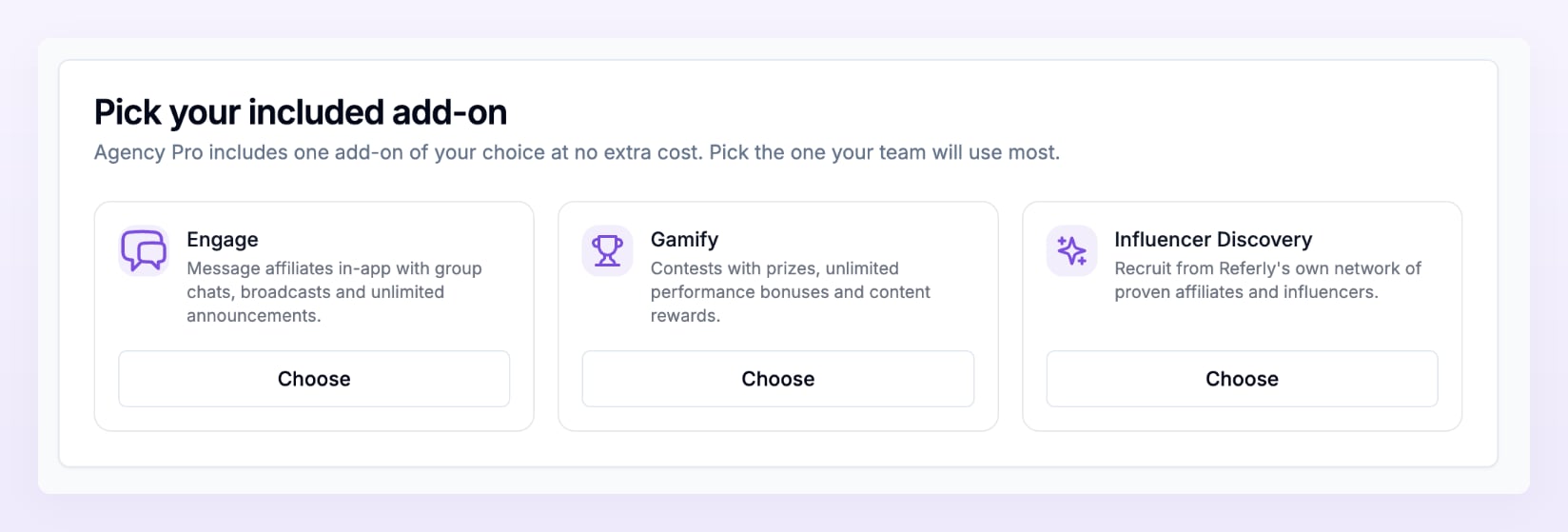
Agency Pro includes one add-on at no extra cost, and you choose which one.1
Open your subscription
Go to Settings, then Billing, then Subscription. While you haven’t chosen yet, a Pick your included add-on card appears above the Add-ons card.
2
Choose your add-on
Select Choose next to Engage, Gamify, or Influencer Discovery. The add-on switches on straight away, and its row on the Add-ons card shows an Included with Agency Pro badge.
Buy an add-on
1
Open the Add-ons card
Go to Settings, then Billing, then Subscription, and scroll to Add-ons.
2
Select Buy add-on
Select Buy add-on on the add-on’s row. A window opens listing what the add-on includes.
3
Choose monthly or yearly
Turn on the Billed annually switch to pay yearly instead of monthly. The button updates to show the price, for example Add for $67/mo.
4
Pay at checkout
Select the button and complete payment on the secure checkout page. When you’re done you’re brought back to Referly, and the add-on’s features unlock.
Manage an add-on you pay for
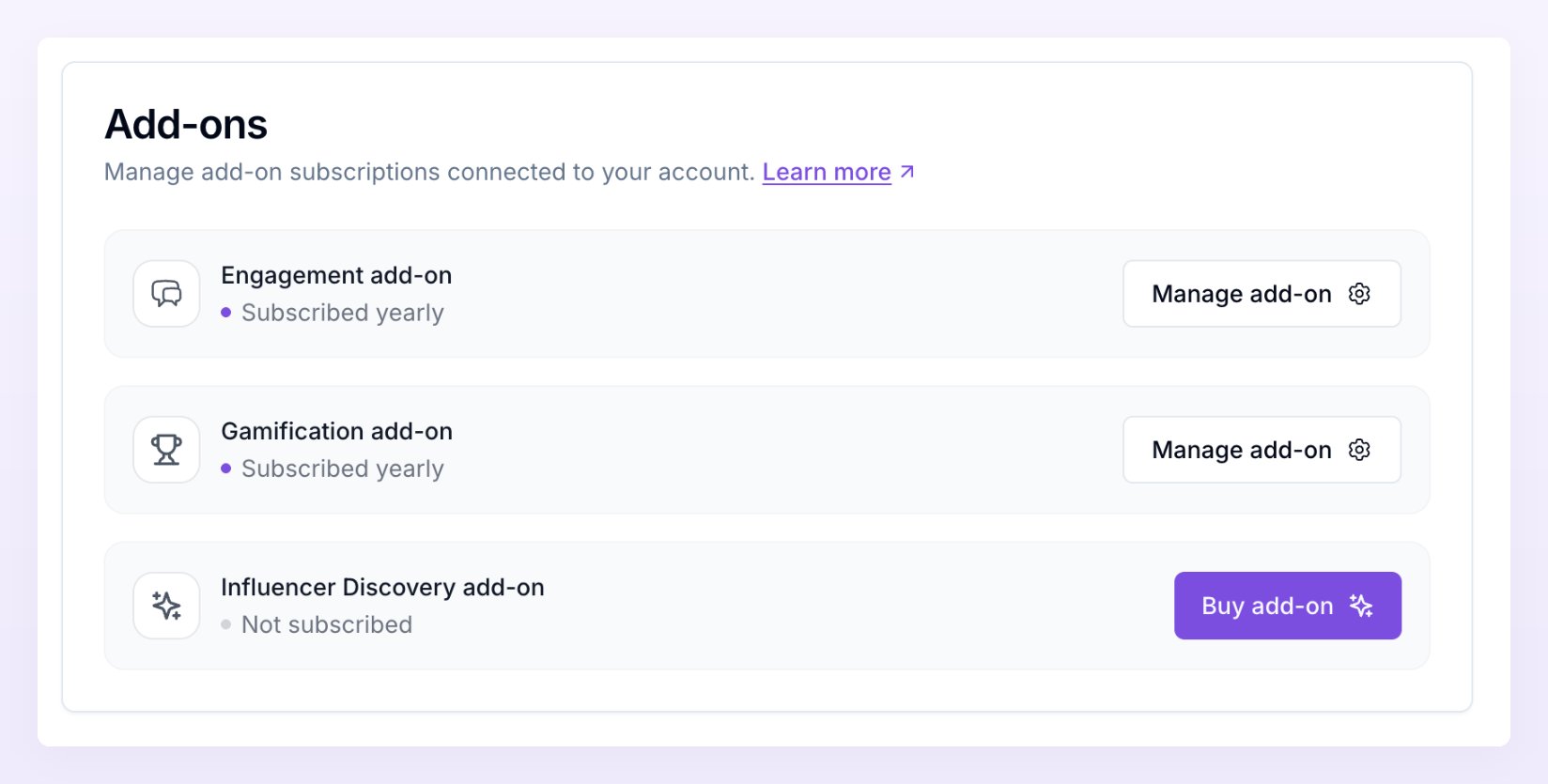
Each row on the Add-ons card shows its status:- Not subscribed: you don’t have it yet. Select Buy add-on to add it.
- Subscribed monthly or Subscribed yearly: you’re paying for it. Select Manage add-on to open the billing page for that add-on’s subscription.
- Included with Enterprise or Included with your plan: it comes with your plan, so there’s no button.
Related
Plans and features
Compare plans and see what each one includes.
Manage your subscription
Change plan, switch billing period, or cancel.
Influencer Discovery
Find and recruit creators from Referly’s network.
Gamification
Contests, bonuses, milestones, and leaderboards.