

Affiliate-generated codes need the Business plan or higher. See plans and features.
Before you start
You need a coupon for affiliates to create codes under. You can turn this on while you create a coupon, or on a coupon that’s already in your library.Turn on affiliate-generated codes
Open your campaign, select Coupons in the left sidebar, then open a coupon or select Create Coupon. At the bottom of the page, next to Add Promo Code and Add Auto-generated Code, select Add Affiliate-Generated Codes. A new Affiliate-Generated Promo Codes section appears with an Affiliate-Generated Codes Settings card, marked with an Affiliate-generated badge. This is where you set the rules for the codes affiliates create.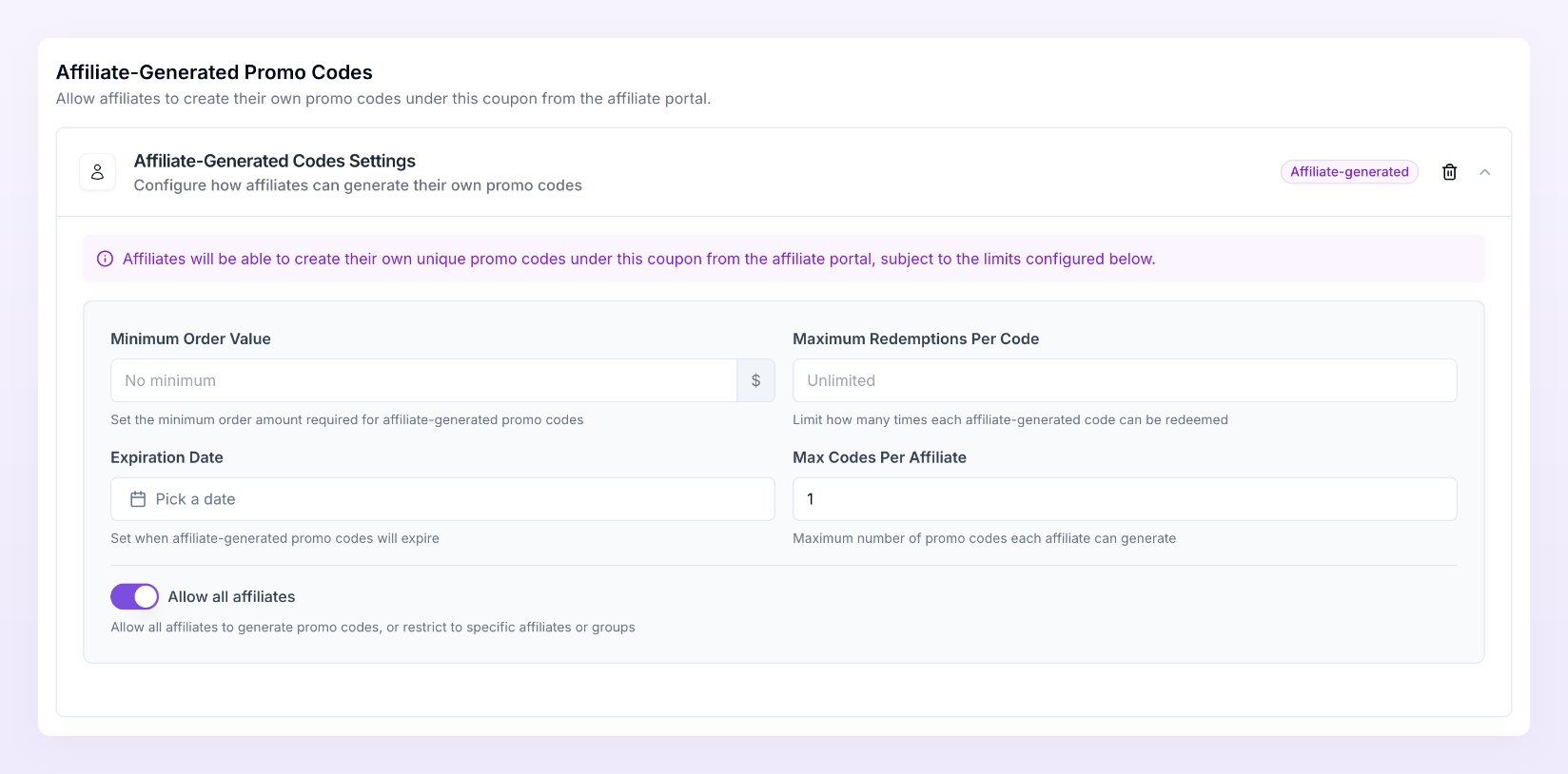
Set the limits for their codes
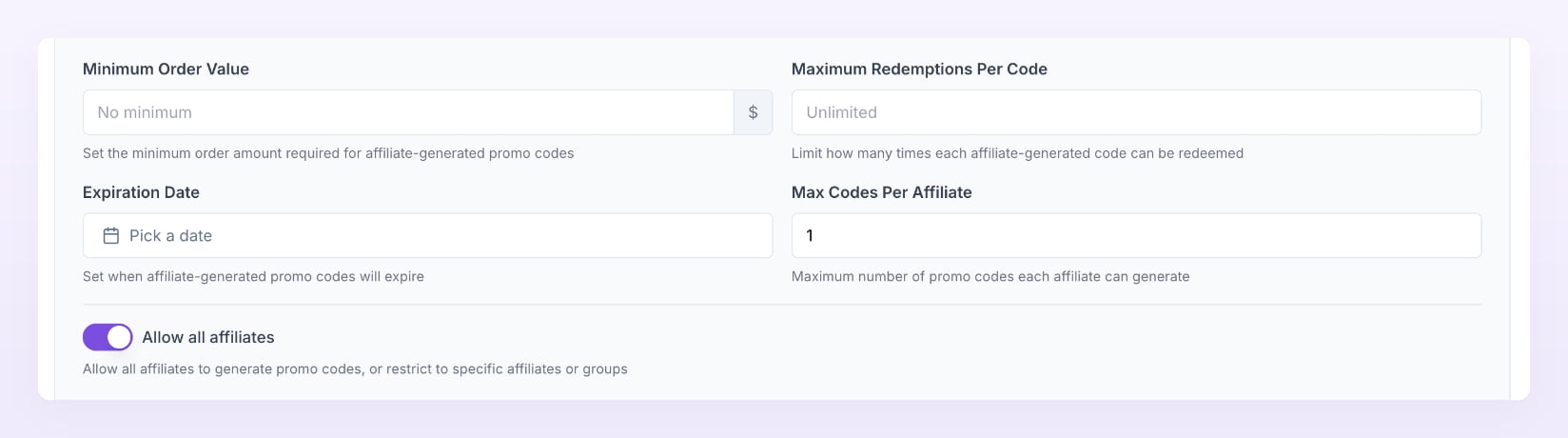
Each limit applies to every code an affiliate creates under this coupon:- Minimum Order Value: the order amount a customer must reach before the code works. Leave it as No minimum to allow any order.
- Maximum Redemptions Per Code: how many times each code can be used. Leave it as Unlimited for no cap.
- Expiration Date: when the codes stop working. Pick a date in the future.
- Max Codes Per Affiliate: how many codes each affiliate can create under this coupon. It starts at 1.
The limits are copied onto each code at the moment an affiliate creates it. If you change them later, only codes created after the change use the new limits.
Choose who can create codes
Allow all affiliates is on by default, so everyone in your program can create codes under this coupon. To narrow it down, turn it off and choose one of these:- Specific affiliates: search for the affiliates you want under Select specific affiliates.
- Affiliate groups: pick one or more groups under Select affiliate groups…. Only affiliates in those groups can create codes. This option appears once you have at least one group.
Save
On a new coupon, select Create. On an existing coupon, select Update at the bottom right. Affiliates who are allowed can now create codes from their portal.See the codes your affiliates create
Codes your affiliates create appear in the Affiliate-Generated Promo Codes section of the coupon page, each with an Affiliate-generated badge. Search the section by code, affiliate name or email when the list gets long. You can manage these codes like any other, including renaming a code if one needs changing.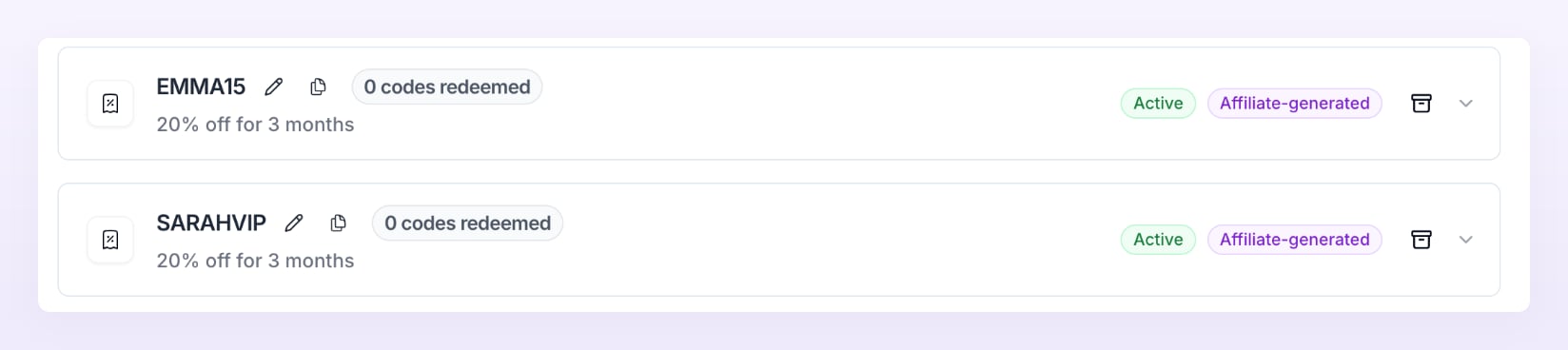
What your affiliates see
In their portal, affiliates who are allowed see a Create Promo Code button on their Promo Codes page. They pick your coupon, type their code and save. The coupon shows a count like0/2, which is how many codes they’ve made out of your Max Codes Per Affiliate. For the full walkthrough from their side, see Your promo codes.
Stop affiliates creating new codes
Select the trash icon on the Affiliate-Generated Codes Settings card, then select Update. Affiliates can no longer create new codes under this coupon.Related
Auto-generate codes
Give every affiliate a code from a pattern you design.
Promotional codes
Add, rename, or turn off the codes customers type.
Your promo codes
How affiliates create and share their own codes.
Affiliate groups
Group affiliates so you can choose who creates codes.