

Where to find programs
The marketplace is a directory of affiliate programs running on Referly. There are three ways in:- From your Influencer dashboard. Sign in at
influencers.referly.soand select Marketplace in the left sidebar. This is the main way, and the only one that shows you personalized matches. - From any program portal. Select the program button at the top of the left sidebar, then Join other programs. You’ll be handed over to the marketplace without signing in again.
- From the public marketplace. Anyone can browse listings without an account. When you go to join one, you’ll be asked to create your influencer account first, then dropped back on the listing you were looking at.
Browse the marketplace home
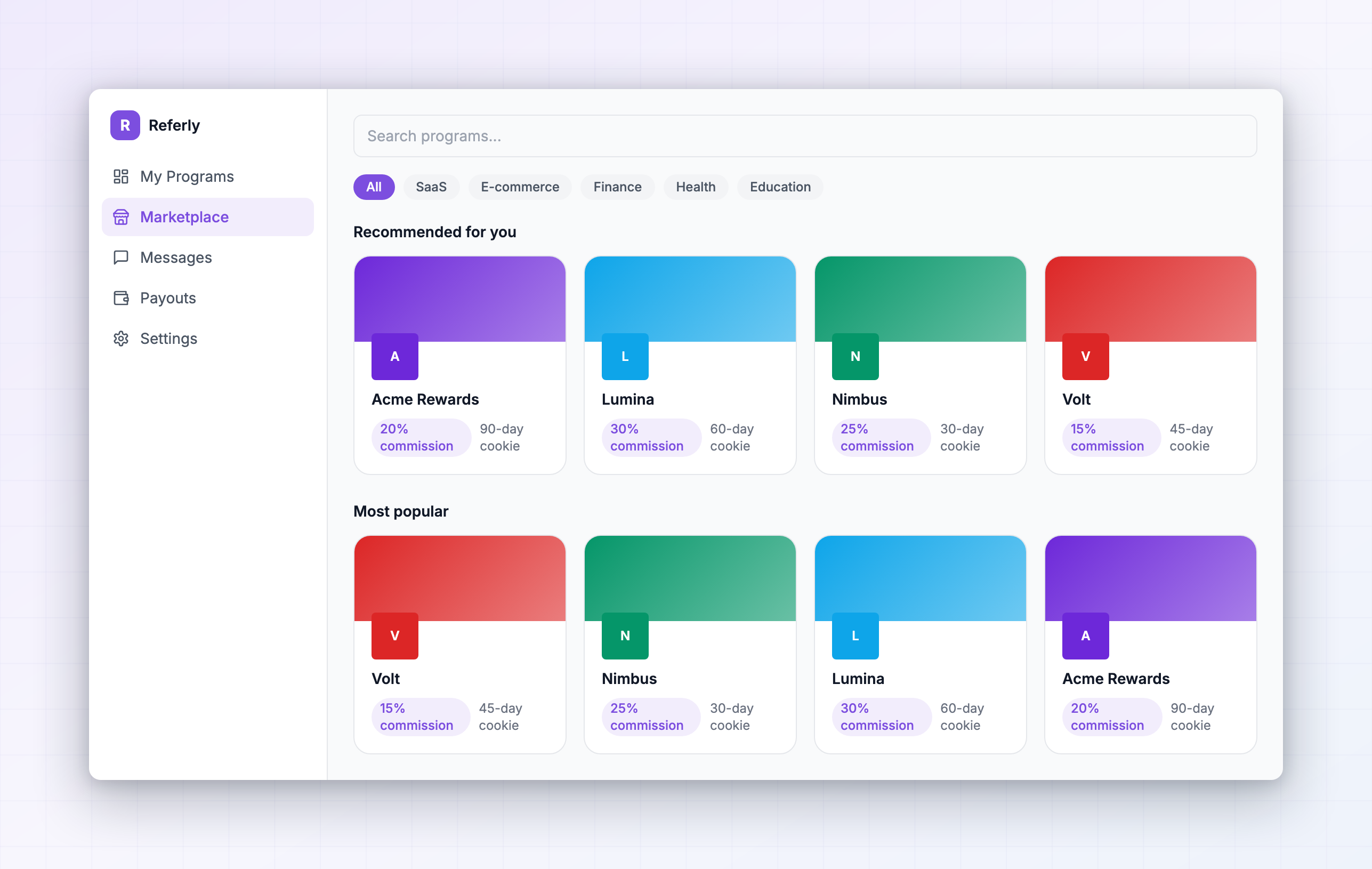
The Program marketplace home page is built for scanning. It’s organized into rows:- Recommended for you — programs picked to fit your niches, audience, and earning history.
- Most popular — the programs affiliates are joining most.
- New — recently published listings, which often have less affiliate competition.
- Content rewards — programs paying for content you post, rather than only for sales. See Content rewards.
- Categories — every category with published programs in it.
Search and filter every program
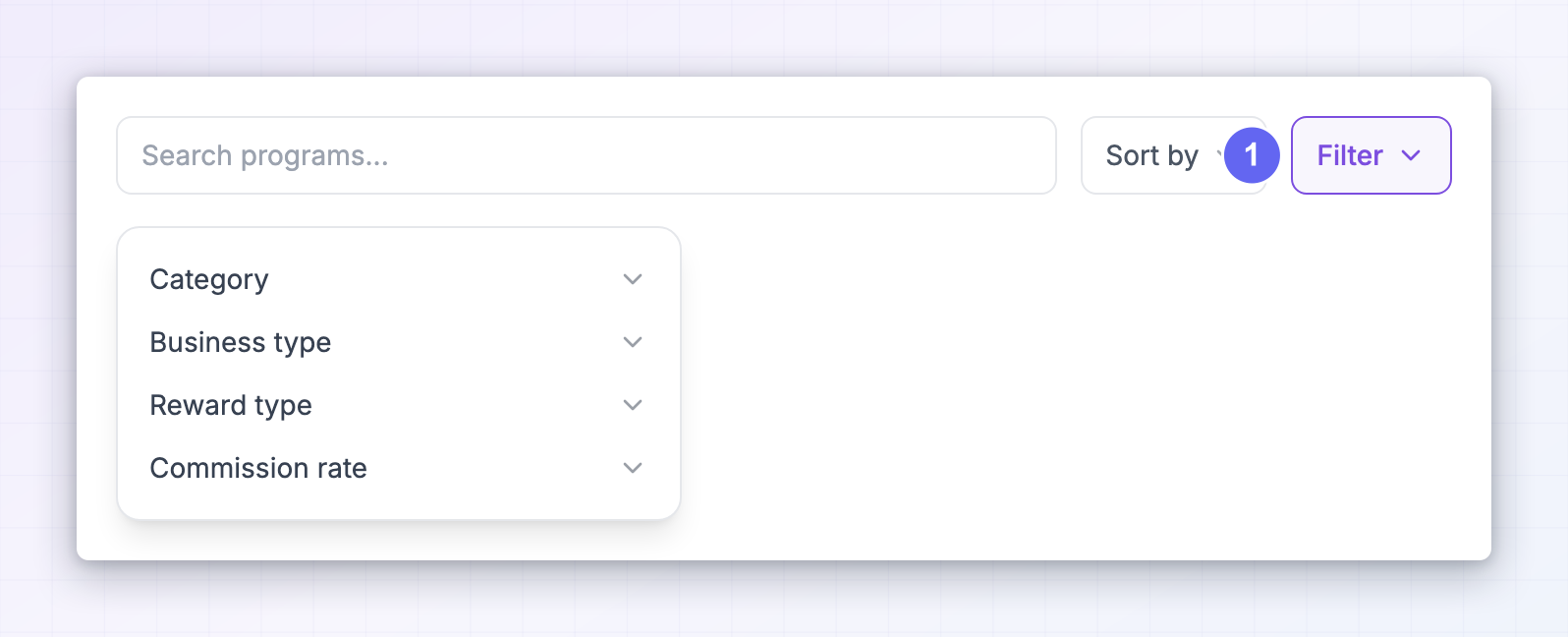
The All Programs page is where you go when you know roughly what you want. Use the search box, then narrow with Sort by and Filter. Sort by offers Most popular, Newest, Name, and Relevance. Filter narrows on four things:- Category — the niche the product sits in.
- Business type — the kind of company running it.
- Reward type — Referral reward (you’re paid when someone signs up), Sale reward (you’re paid when someone buys), or Non-cash rewards (coupons or store credit instead of money).
- Commission rate — how much the program pays.
Read a program card
Every card in the marketplace shows the same few signals, and learning to read them saves a lot of clicking:- The program name and logo.
- A Verified badge. Verified programs run on Referly, which means tracking, rewards, and payouts all happen on the platform — so the numbers you see are the numbers you get. Unverified listings send you to the brand’s own website instead.
- Your match percentage — how well the program fits you specifically.
- Rewards — a one-line summary of what the program pays.
- Category.
Understand your match score
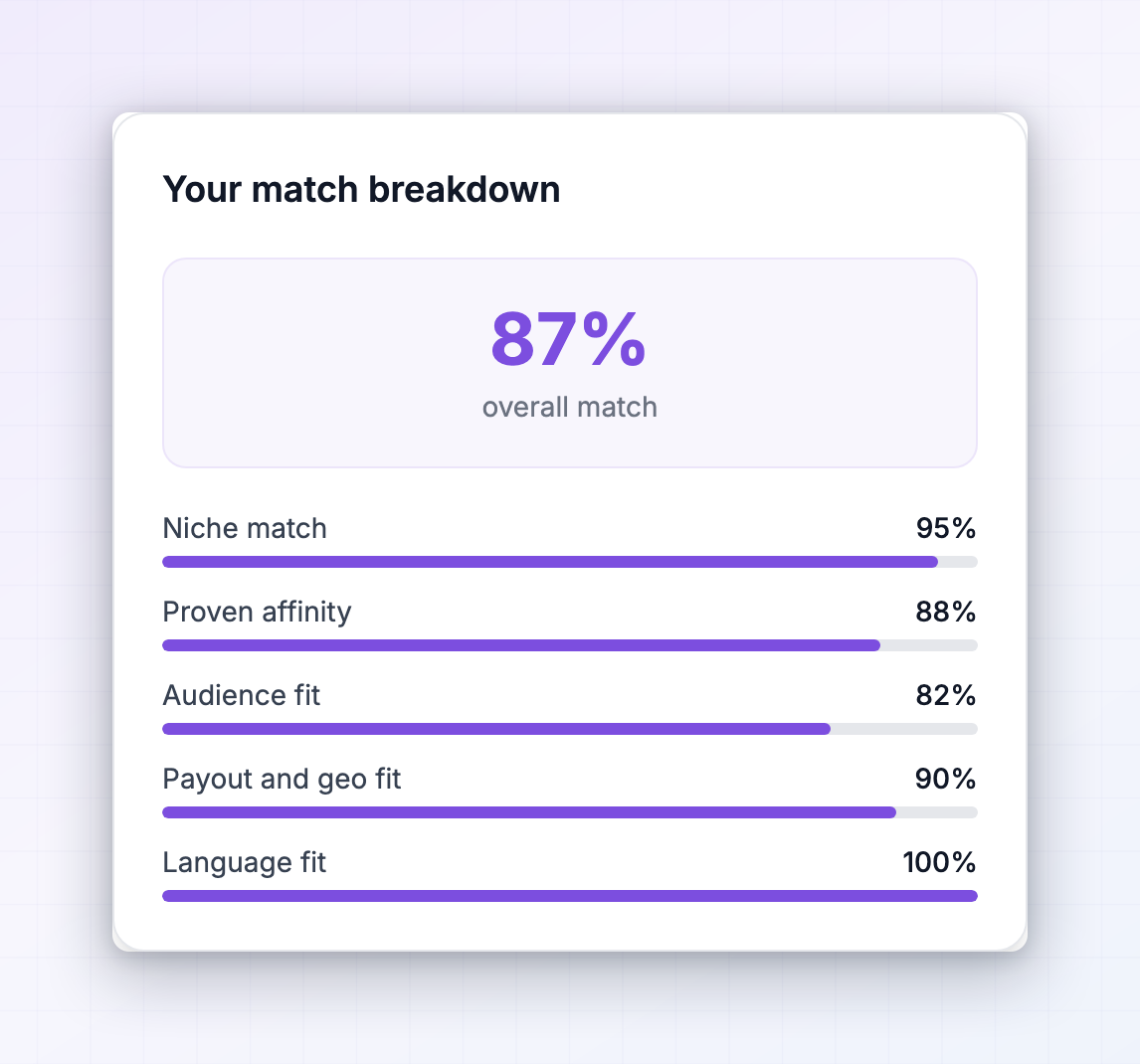
The match percentage on a card or listing is personal to you. Select it to open Your match breakdown, which shows the five things it’s built from:- Niche match — how closely the program’s categories overlap the niches on your profile.
- Proven affinity — whether you already earn commissions in this category in your other programs.
- Audience fit — whether your audience size suits this kind of offer. Bigger audiences suit high-ticket and recurring offers; smaller ones suit broad, easy-to-sell offers.
- Payout and geo fit — whether the program can pay you with your preferred payout method, currency, and region.
- Language fit — whether the program’s portal is available in your language.
Read a program listing
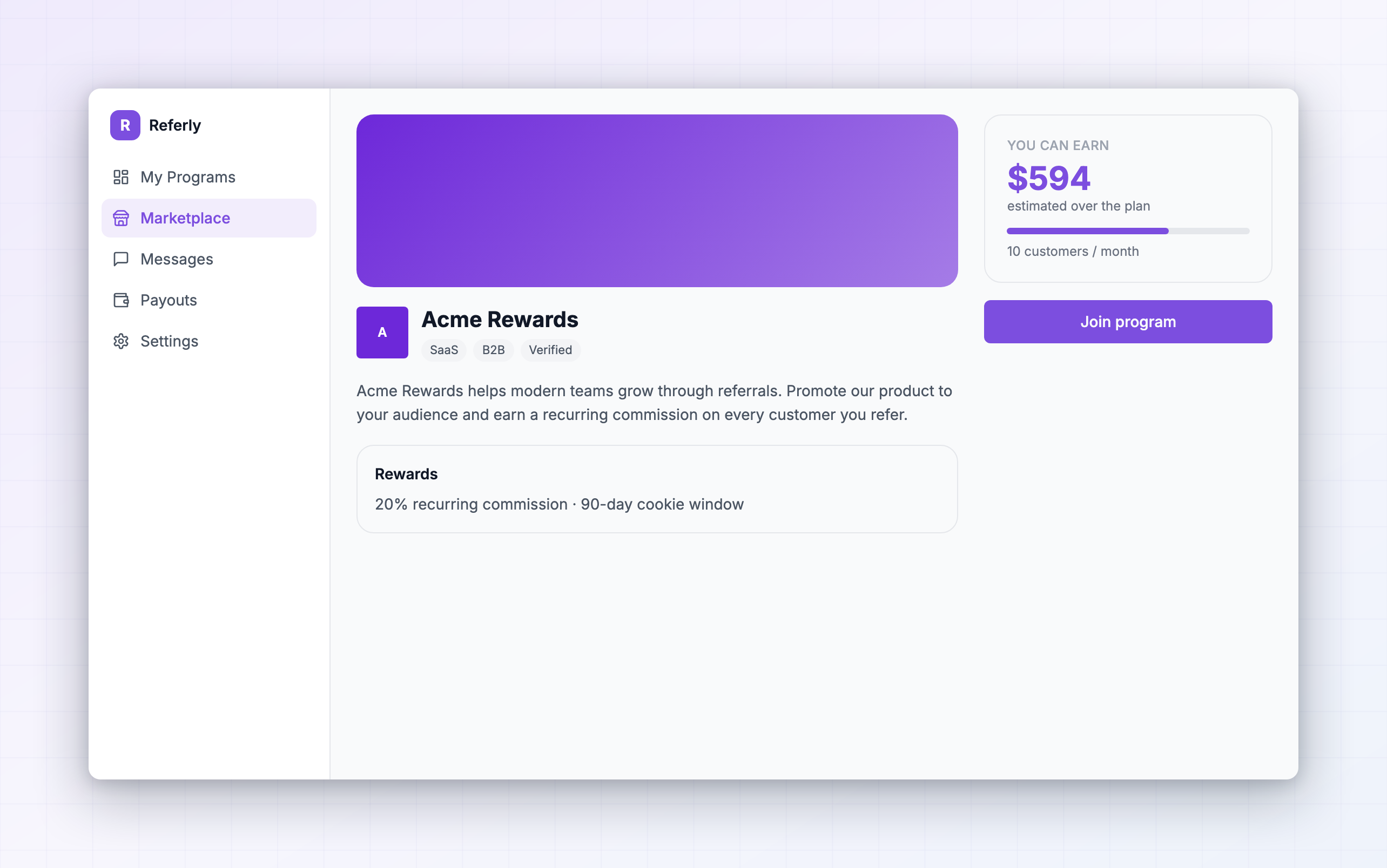
Opening a listing gives you the brand’s full pitch. Work down the page:- The header — cover image, logo, program name, the Verified badge, and your match score.
- The one-line description, plus tags for business type, category, and a link to the brand’s website. Visit it. You’re about to recommend this product to your audience.
- Rewards — a summary of what you’re paid, with View all to open the full commission plan.
- The brand’s write-up — who they’re looking for, what converts, what they’d like you to promote.
- Frequently asked questions — often where the real terms live. Read them: payout timing, what counts as a valid referral, and any promotion rules tend to be answered here.
- Content rewards attached to this program, if there are any.
- Related programs — useful for comparing before you commit.
Read the commission plan
Select View full commission plan to open Commission Plan Details. This is the part worth slowing down on, because two programs advertising “30%” can pay wildly different amounts over a year.What you’re paid
Cash commission is either a percentage of the sale or a fixed amount per sign-up or per sale. A fixed amount is predictable; a percentage scales with basket size, which matters when the product has expensive tiers. Some plans pay in coupons or store credits instead of cash. Those show as Non-Cash Reward and are worth checking carefully — a discount coupon is only worth something if you’d have bought the product anyway. See Non-cash payouts.When you’re paid
The Trigger tells you what earns the commission: Customer signs up or Customer makes a purchase. Sign-up triggers pay more often but usually pay less each time. There may also be a Purchase condition (first purchase only, or every few purchases) and a Time window — the customer has to buy within a certain number of months for you to earn.How long it keeps paying
This is the biggest difference between programs, and it’s easy to miss:- Duration — either No time limit, or a fixed number of months. After that, you stop earning from that customer.
- Payments — either Unlimited, or only the first few payments the customer makes.
Whether the rate changes
Some plans say Commission changes over time and break the payout into an Initial period, a Then, and an Ongoing rate — usually higher at the start, lower later. Others use Milestones: hit a set number of referrals or a revenue target and you’re upgraded to a better commission plan. The dialog shows the requirements for each milestone and what you’d be upgraded to, so you can see the ceiling before you join. See Performance bonuses for the other way programs pay extra.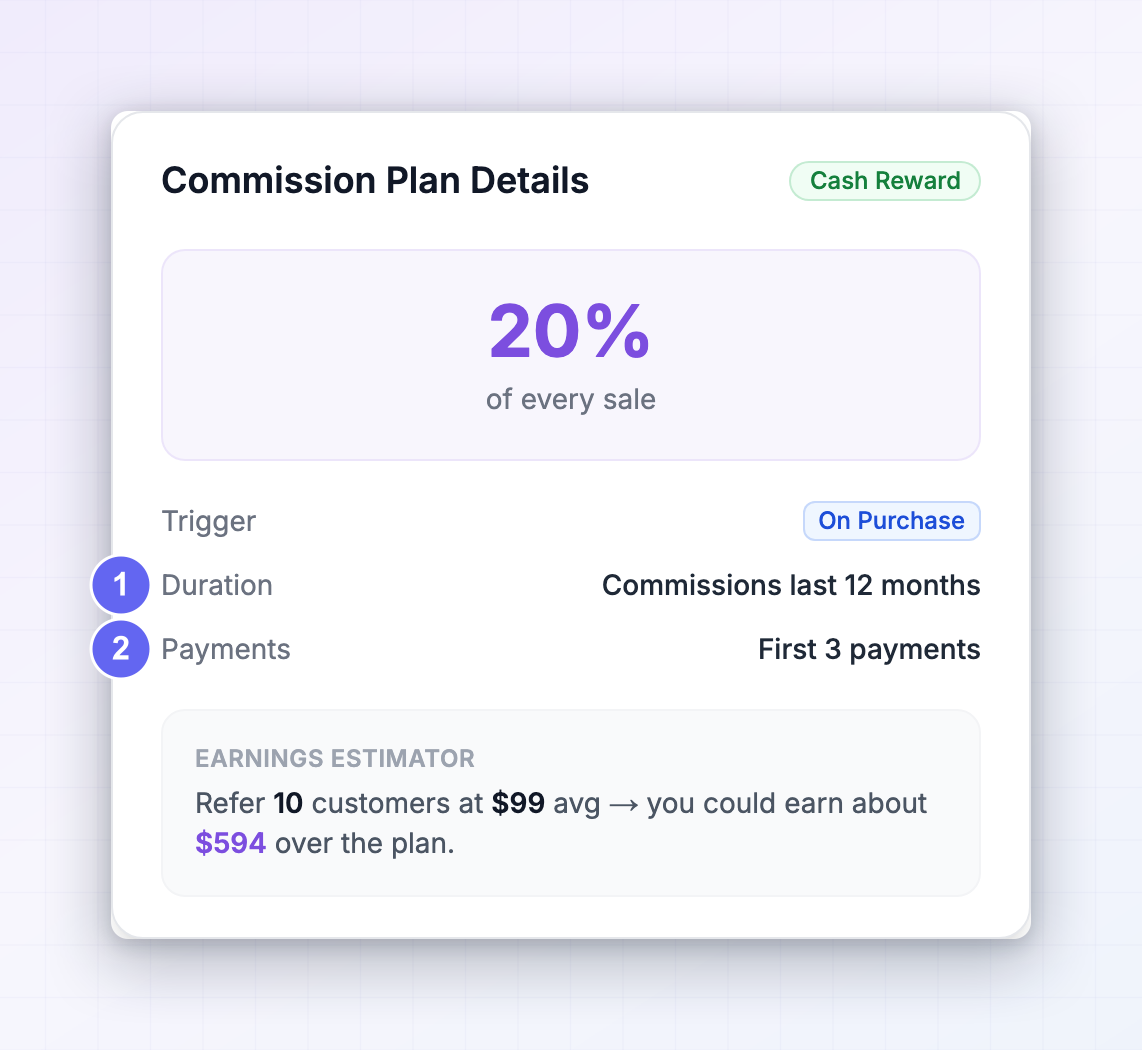
Estimate what you would earn
Every listing has an earnings calculator in the right-hand panel showing You can earn an amount per month. Drag the slider to the number of customers you think you could realistically refer each month, and the estimate updates. Select the small info button to open How we estimate your earnings, where you can see and change the two numbers behind it:- Average customer value — how much a customer typically spends. The label tells you where it came from: from sales data (calculated from that program’s real sales, with the number of customers it’s based on), set by this program, or an industry benchmark estimated from the category. A benchmark is a guess — if you know the product’s actual pricing, type it in.
- Commission rate — set by the program, but editable if you want to model a different tier.
Join the program
When you’ve decided, select Join program.1
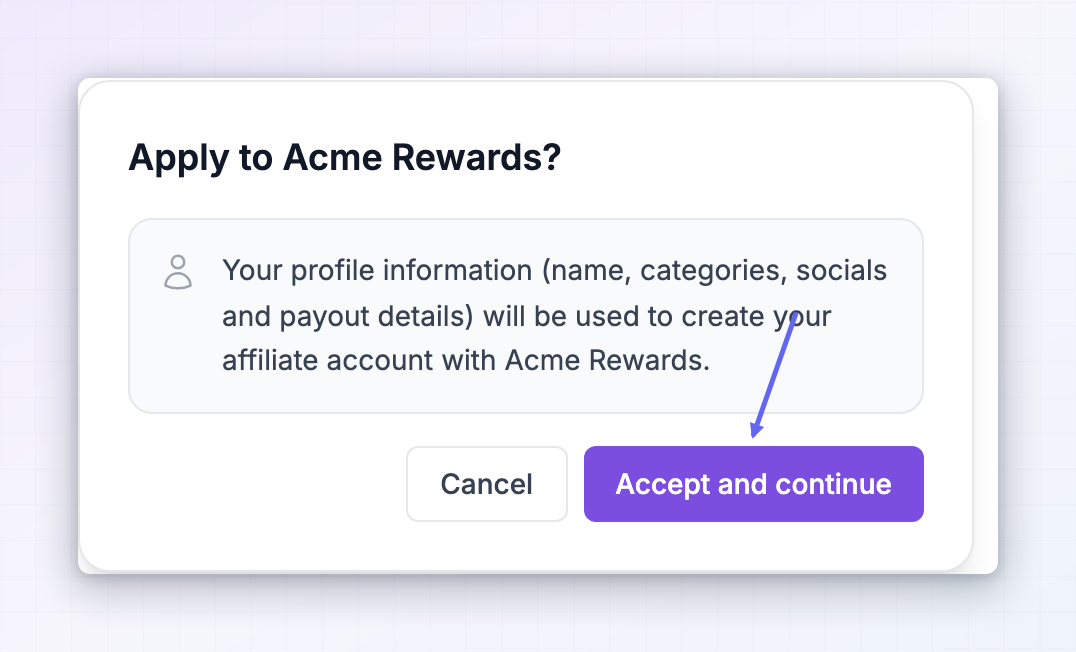
Confirm the application
A dialog appears titled Apply to the program name. It tells you that your Referly profile information — your name, categories, social accounts, and payout details — will be used to apply.
2
Select Accept and continue
Your affiliate account for that program is created, your referral link is generated, and you’re placed on the program’s commission plan.
3
Land in the program's portal
You’re taken straight into the brand’s affiliate portal in a new tab, already signed in.
Approved instantly, or pending review
What happens next depends on a setting the brand controls:- Approved automatically — your account is active right away. Copy your link and start promoting.
- Pending review — you’ll see a screen asking you to wait while the brand reviews your application. You’ll be told when they approve it, and the full portal unlocks then.
What you get on day one
Once you’re active, the program’s portal gives you:- Your referral link, ready to copy, shorten, or turn into a QR code. See Your referral links.
- A promo code, if the brand issues them. See Promo codes.
- The brand’s marketing assets. See Marketing assets.
Join without the marketplace
Not every program is on the marketplace, and not every affiliate arrives through it. From the brand’s own sign-up page. Brands can share a direct link to their portal’s sign-up page. You create an account there, and because the brand controls that form, you may be asked to answer Additional Questions they’ve set for applicants — how you plan to promote, your audience size, your website. Answer them properly; this is what the brand reviews when deciding whether to approve you. From an invite. A brand can invite you directly. Follow the link in the invite and your account is already half set up. Either route may also ask for your payout method and invoice details up front. See Sign up as an affiliate and Complete onboarding. Programs you join this way still show up in your Influencer dashboard, as long as you use the same email address everywhere. That’s the one thing worth being disciplined about — one email keeps every program in one place.If you are declined
If a brand turns down your application you’ll see Your application was declined when you try to open that portal. The brand made that call, and Referly can’t overturn it. Contact the program owner if you think it’s a mistake. The most common fixable reasons are an empty profile, no connected social accounts, and application answers that don’t say how you’d actually promote the product. Fill those in and you’ll be approved more often — including by programs that approve automatically but review affiliates later. See Access issues for the other screens you might hit.Related
The affiliate portal
Find your way around a program portal and your Influencer dashboard.
Complete onboarding
The setup steps that come right after you join.
Your profile
A complete profile gets you approved more often and matched better.
My programs
Manage every program you’ve joined from one place.